







for agencies & companies that sell time

Run your company.
Hours, retainers, billing,
time off, all taken care of.

Free to start, unlimited users. As your company grows, the same workspace
takes care of the hours, the retainers, the billing, and the time off, so nothing
falls through the cracks.

Start for freeSign up with Google
Trusted by 15,000+ teams

Trusted by 15,000+ teams 4.7/5 on G2

Trusted by 15,000+ teams

The full picture

Your company stack, covered.

The lightweight operational back office for your company. Six capabilities, one account, built to work together.

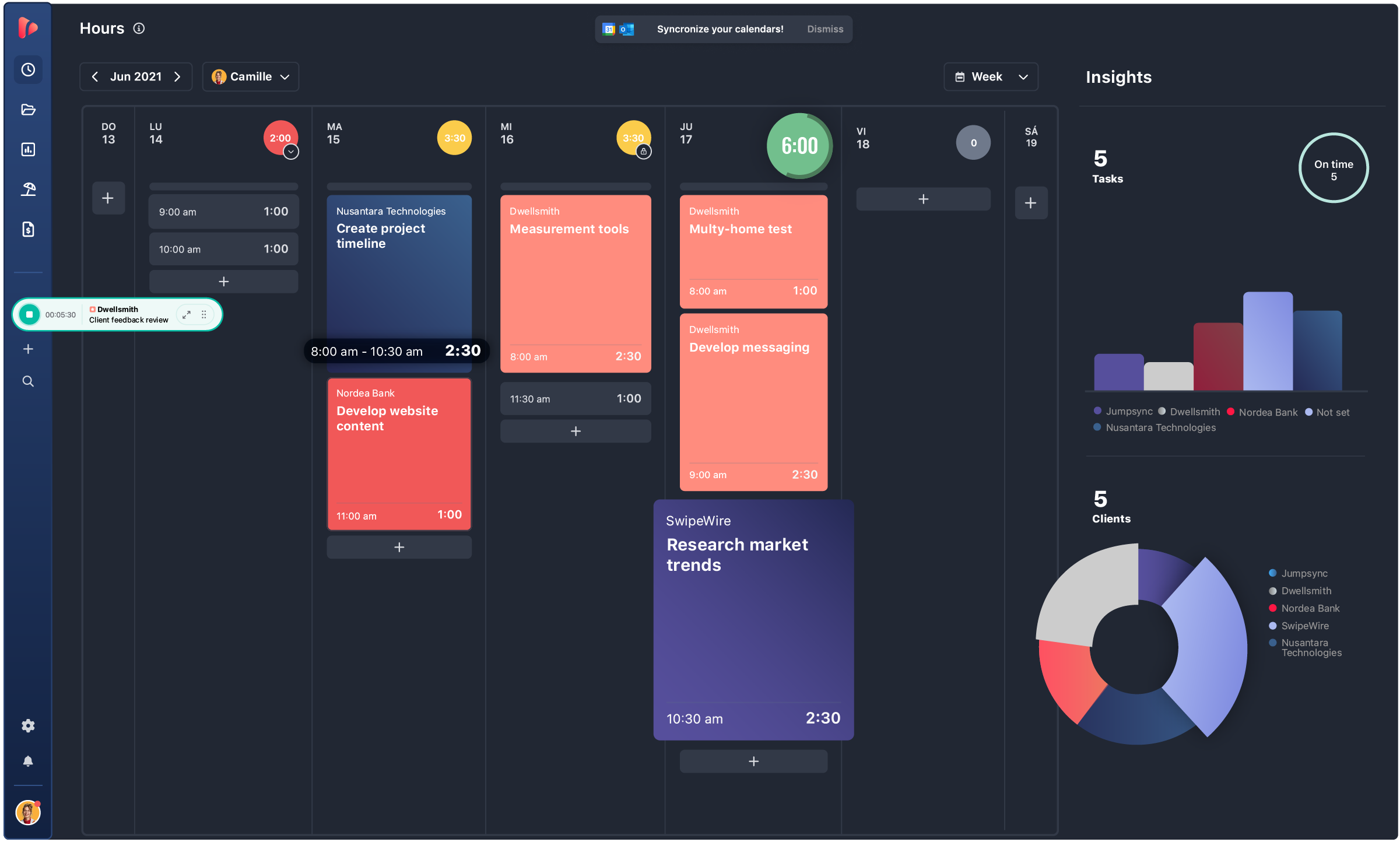
track hours
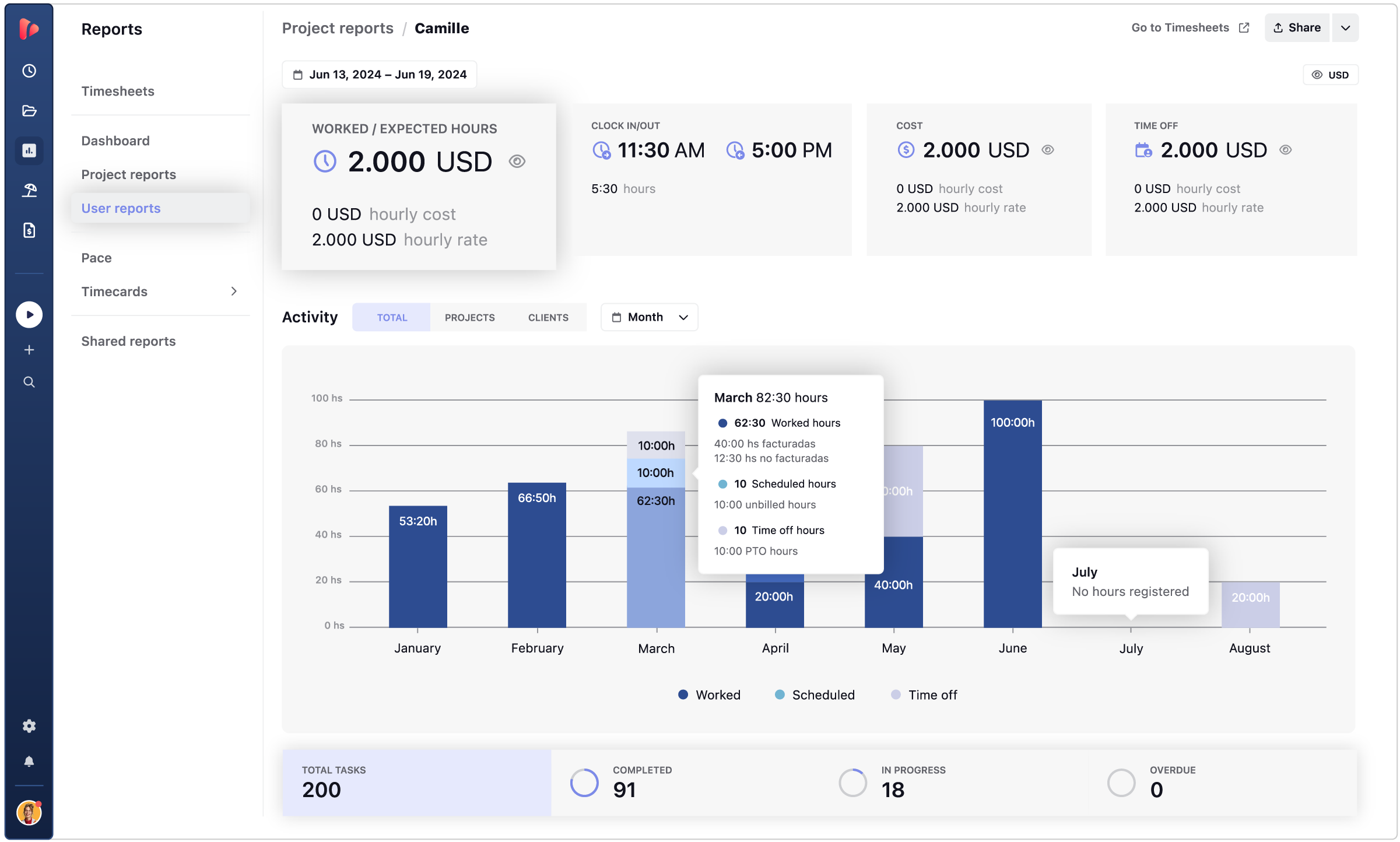
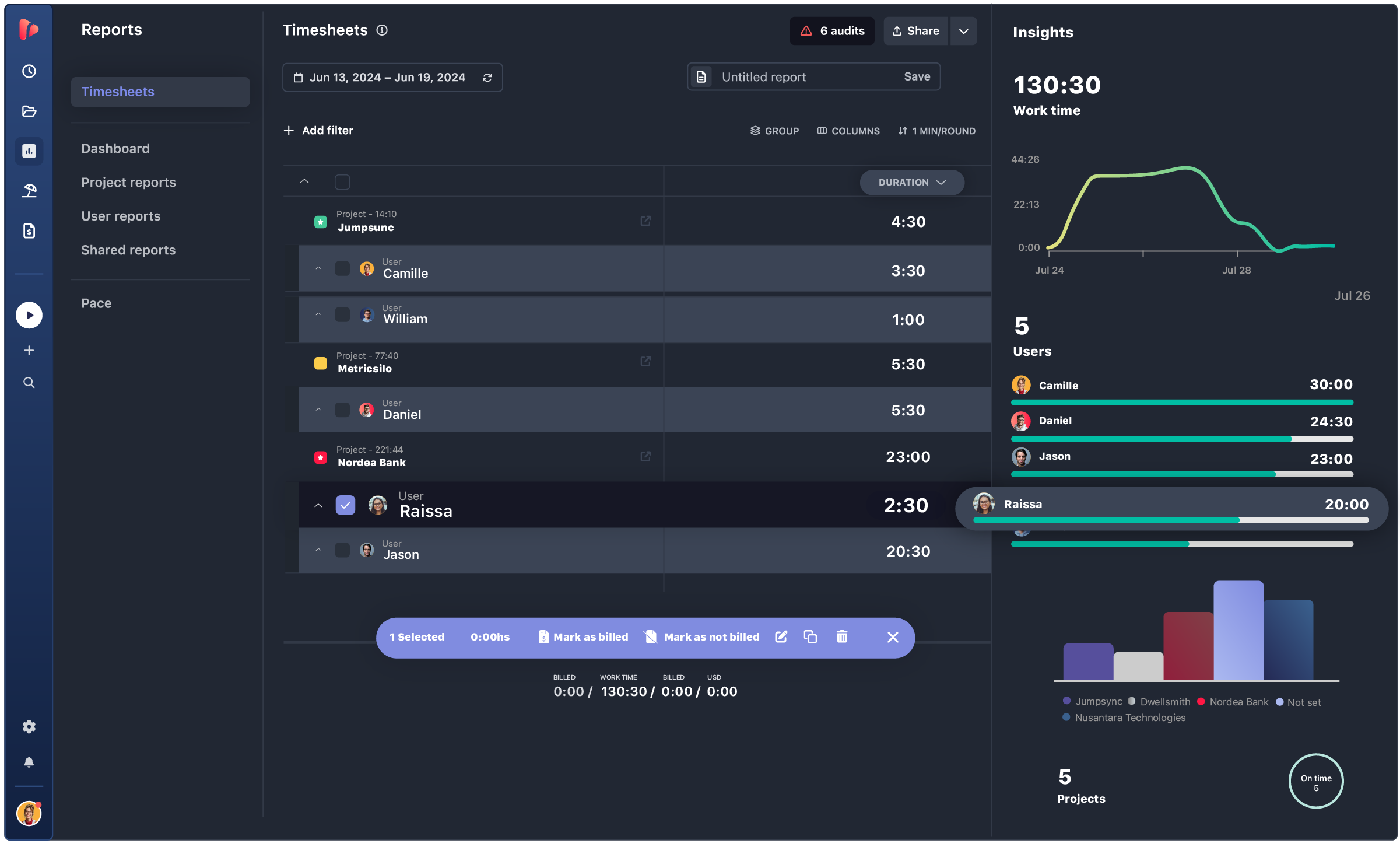
user report
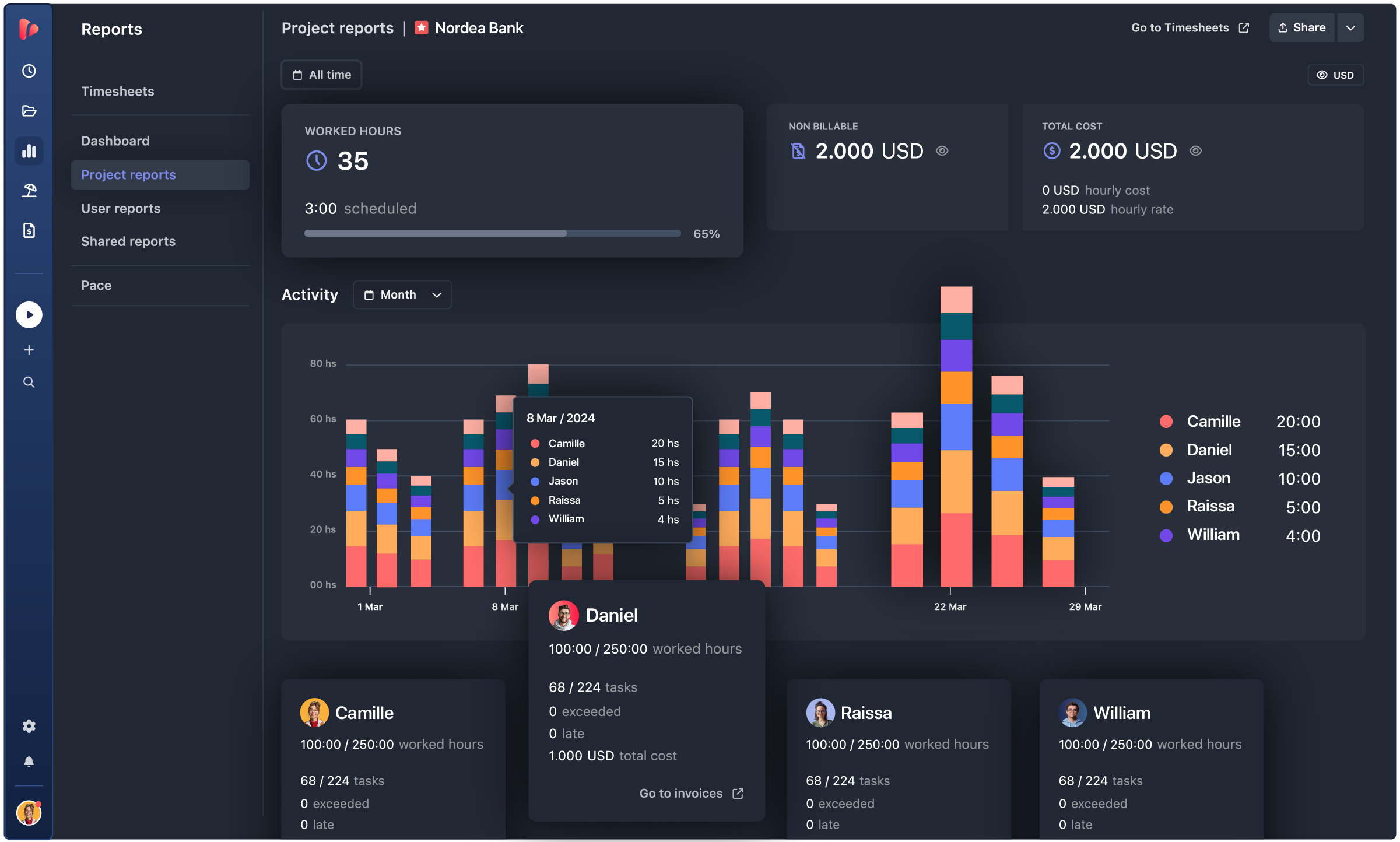
Project report

TRUSTED BY 15,000+ TEAMS. 60+ INTEGRATIONS. FREE PLAN FOR UNLIMITED USERS.

  • Openstax
  • moma
  • playpass
  • ssl
  • smartsheet
  • mci

track · approve · close

Month-end, closed on its own.

Your team tracks. Retainers update. Timesheets get approved. Invoices are ready. Payroll is set. The complete cycle runs on the same data. Nothing to reconcile. Nothing to wire together.

track progress

Track

Hours arrive structured and ready to use. Tracking policies define what counts as a valid entry before it's ever logged. Required fields: project, task, description, custom fields. Automatic reminders catch missing hours during the period. Audits flag incomplete entries before close.

→ The data that comes out is structured enough to bill, pay, and report on, no cleanup needed.

approve

Approve

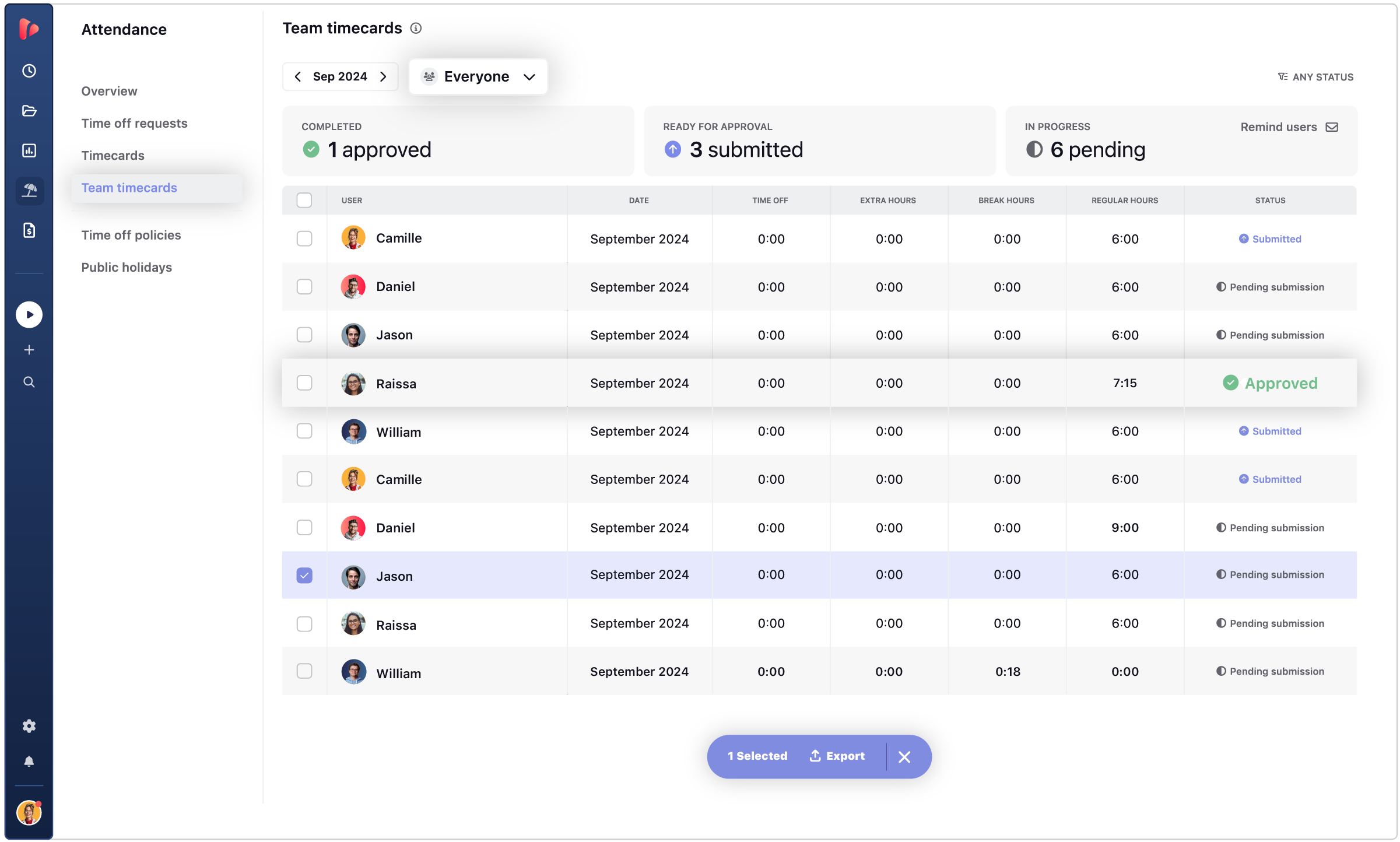
Every entry gets reviewed and locked. Managers review timesheets in bulk before anything moves downstream: approve what's correct, reject what isn't, lock what's confirmed. Time off requests route to the right approver and update availability. Time cards for payroll follow the same approval flow.

→ Nothing reaches finance or HR until it's reviewed and locked.

client reports

Close

One approved and locked dataset, three destinations.
The same data splits three ways automatically: invoices for finance, time cards for payroll, and shared reports for clients, with retainers updated to final pace and balance.

→ No exports, no reconciliation. The period closes on its own.


PART OF YOUR WORKFLOW

This is what calm looks like for your company.

What usually causes problems in a time-based business: retainer burn, team absence, client transparency, and team trust. All of them covered.

Retainer burn stays visible.

Burn alerts notify you when hours approach budget. Pace tracking, rate data, and expenses give you the complete picture at any point in the project, so you manage margins before they become a problem.

Time off workflows run effortlessly.

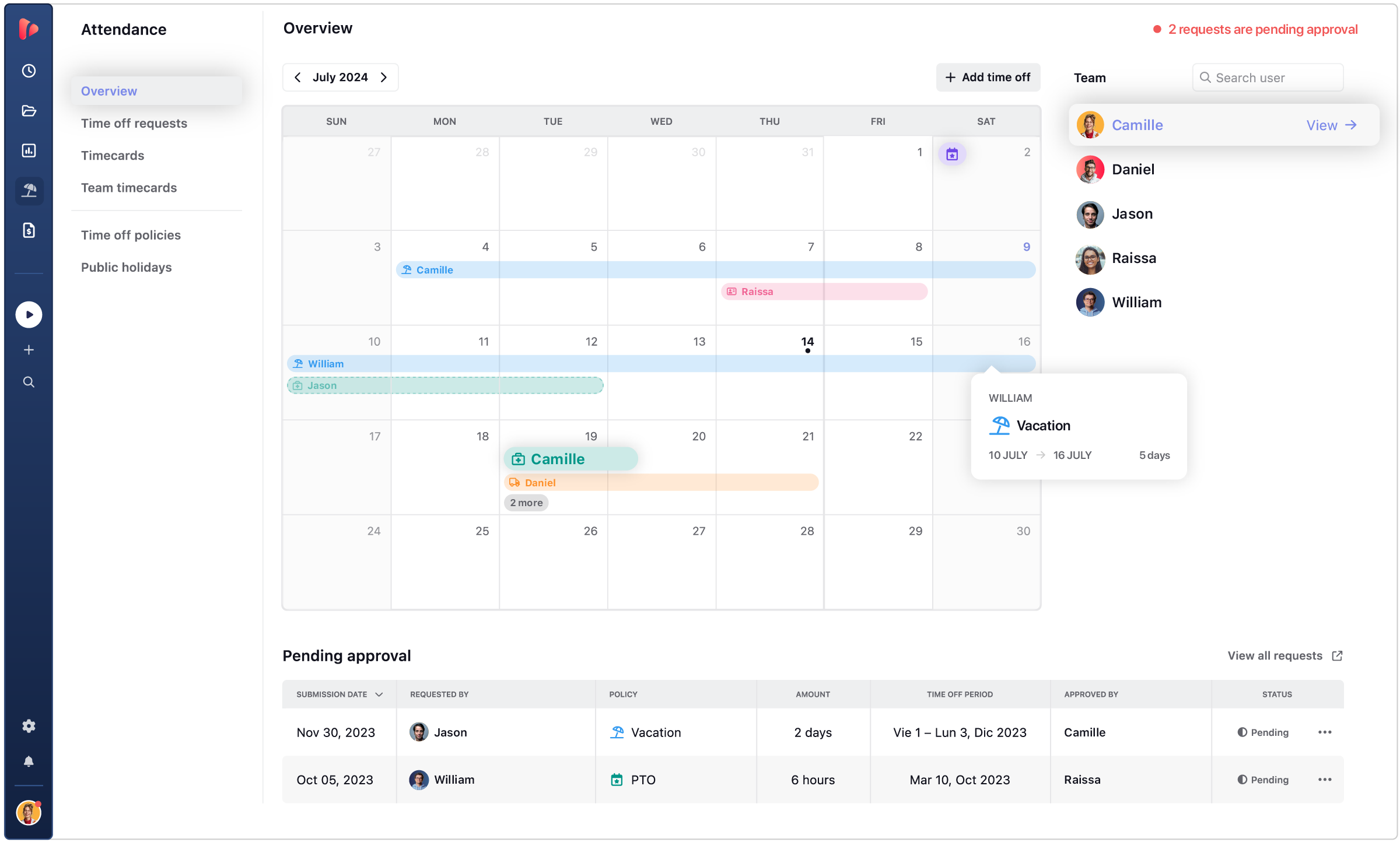
Accrual rules, leave types, holiday calendars, and approval flows are all built into TrackingTime. Your team submits requests, managers approve, and absence stays visible across the team, without extra tools or manual tracking.

Your clients trust what they see.

Each client has their own view inside TrackingTime, showing just their projects and hours, updated in real time. Nothing they see belongs to another account. Complete transparency, no discrepancies.

team icon
Your team's trust remains intact.

AutoTrack detects activity and suggests time logs, but raw data never leaves the team member’s control. They decide what gets submitted. The result is accurate hours and a team that doesn’t feel watched.

no workarounds

The gap no one else closes.

Retainers and time off show up in almost every time tracker. Very few get them right.

Real retainers

Pace tracking, rollover, burn alerts, and rates by person or task, all part of a full retainer tracking cycle instead of a spreadsheet next to a timer.

→ Tracked from day one, not reconstructed at renewal

Time off with policies

Multi-country rules, accrual, unlimited leave types, and approval workflows, built as real leave management instead of a calendar widget.

→ Set once per policy, not once per request

Claude AI logo ChatGPT AI logo Gemini AI logo

INTEGRATIONS

Track time where your team already works

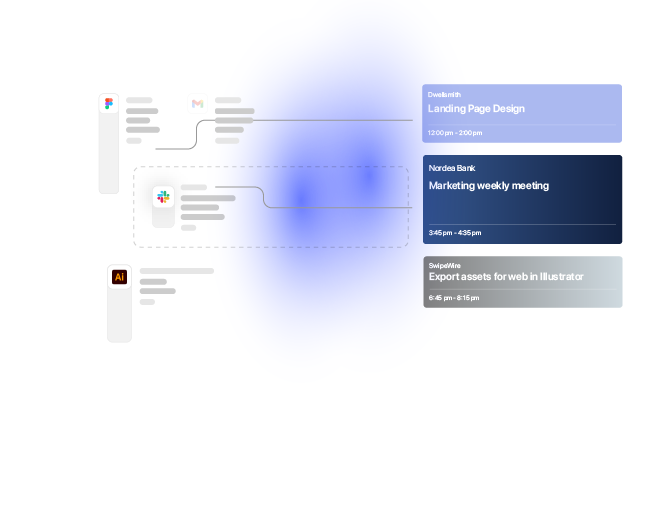
TrackingTime lives where work happens. Add a timer to Asana, Jira, Notion, Monday, ClickUp, Microsoft Teams, Slack, and 60+ more — your team tracks without switching tabs.

Our company has had a fantastic experience with TrackingTime. We would recommend to anyone looking for an easy to use time tracking experience.


5 / 5

We've been using TrackingTime in our company and it's made a huge difference. The customer support is outstanding, quick, helpful, and genuinely interested in solving issues.


5 / 5

Awesome. There are a lot of tech internal features to be improved, such as data storage and sharing access, but it's great in general.


5 / 5

This app is a lifesaver! With TrackingTime, I can easily set project timelines and track my team's progress. The ability to create detailed timesheets and business reports for clients is a game-changer.


4.5 / 5

TrackingTime was incredibly convenient to use; its simple design made it accessible to anyone. The features were outstanding and the reports provided invaluable insights into my own productivity.


5 / 5

TrackingTime keeps my team and projects on track. Saves us hours of headaches and facilitates working remotely. Top notch.


4.3 / 5

Works really well to track project hours


5 / 5

Unmatched Tool for Time and Task Progress Tracking


5 / 5

One of the best time tracking app I've been using


4.5 / 5

Seamless Linear Integration and Easy to Use


5 / 5

TESTIMONIALS

Trusted by all kinds of teams

4.7/5 on G2 · 117 verified reviews · Recognized every season as High Performer and Momentum Leader in Project Management, Time Tracking, and Time & Attendance.

MICROSOFT 365

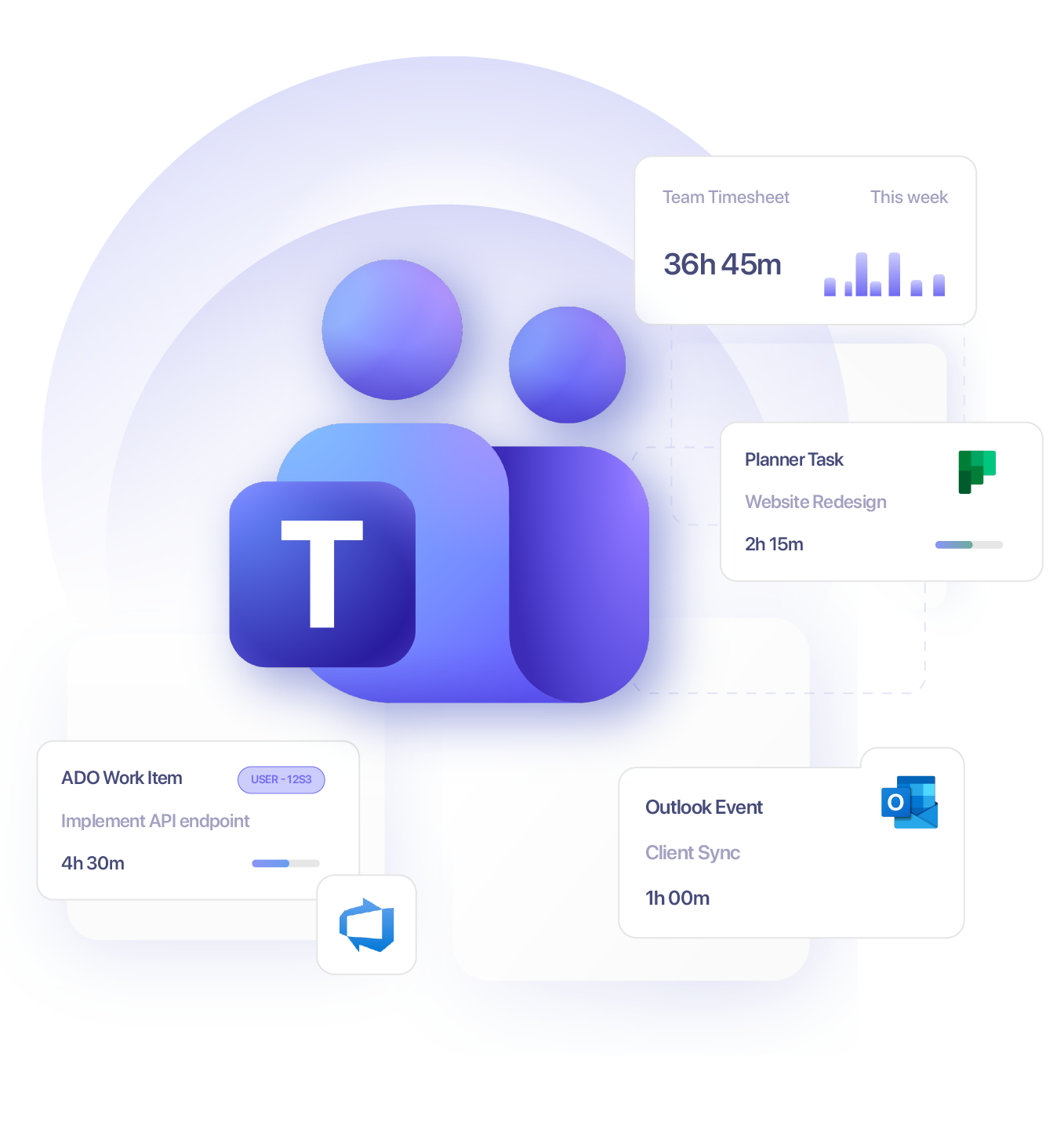
Lives inside Microsoft Teams, Planner, and Azure DevOps

Your team already lives in Microsoft 365. TrackingTime lives there too — so tracking happens where work happens, not in a tab nobody remembers to open.

Free for unlimited users

Get started

Start tracking today. Invite your entire team — no seat limits, no credit card, no time limit on the free plan.

Sign in with Google

FAQ

Frequently Asked Questions

Get answers to all your questions about our service and plans.

Is TrackingTime free?

Yes. TrackingTime has a permanent free plan with no time limit, which includes time tracking, unlimited projects, tasks, and clients, plus 26 features. Paid plans start at $3.75 per user per month (billed annually) and unlock additional capabilities like AutoTrack, shared reports, billable rates, invoicing, and enterprise-grade controls such as SSO and audit logs — depending on the plan.

How much does TrackingTime cost per user?

TrackingTime’s paid plans range from $3.75 to $10 per user per month when billed annually: Starter ($3.75), Pro ($5.75), and Business ($10). All plans include unlimited users, projects, tasks, and clients — pricing scales by capability, not by seat limits. The right plan depends on whether your team needs invoicing and billable rates (Pro), or enterprise security like SSO and audit logs (Business).

Is it worth upgrading from TrackingTime’s free plan to a paid one?

The free plan covers individual or small team use with core time tracking, unlimited projects, tasks, and clients. Upgrading makes sense when your team needs AutoTrack and saved reports (Starter), billable rates and invoicing (Pro), or enterprise security like SSO and audit logs (Business). If time data is feeding into billing, payroll, or client reporting — paid plans pay for themselves by reducing manual work and data errors.

How does TrackingTime help agencies track billable hours and project costs?

TrackingTime lets agencies assign hourly or fixed rates at the project, task, or user level, track billable vs. non-billable hours, and generate invoices directly from logged time. Historical user rates let you calculate actual cost per project over time, and project reports give a real-time view of budget consumption vs. hours logged — so you can identify which clients or projects are profitable before billing, not after.

Can clients access their own project time reports in TrackingTime?

Yes. TrackingTime lets you share reports with clients via a link that gives read-only access to specific report views — no login required. Clients can see the data you choose to share, updated in real time, without needing a full account. This removes the manual step of exporting and emailing reports while maintaining the transparency clients expect. Shared reports are available from the Starter plan.

Does TrackingTime work as a project management tool for agencies?

Yes, for agencies and professional service teams that organize work as projects with tasks, TrackingTime can function as both the project management tool and the time tracking system in one place. It includes task lists, board and timeline views, a company-wide project timeline, custom fields, deadlines, comments, and file attachments — all with time tracking built in. Teams that already use a dedicated PM tool like Asana, ClickUp, or Monday can alternatively connect TrackingTime as a time and cost layer on top of their existing workflow via integration.

Does TrackingTime monitor employees or take screenshots?

No. TrackingTime does not take screenshots, log keystrokes, record app usage without consent, use GPS tracking, or apply any form of employee surveillance. Time tracking in TrackingTime is based on self-reported entries: timers, manual logs, or calendar integrations. AutoTrack, an optional feature that helps users reconstruct their own day, processes activity data locally and only logs what the employee explicitly chooses to record. Managers get accurate operational data; employees keep control over what gets logged.

How does TrackingTime track time without invading employee privacy?

TrackingTime relies on self-reported time: employees log hours through timers, manual entries, or calendar integrations. AutoTrack is an optional feature that helps users reconstruct their own day and log time more accurately — but the data stays with the user until they choose to log it. There are no screenshots, no GPS tracking, and no passive monitoring running in the background.

How is TrackingTime different from employee monitoring software?

Monitoring tools like Hubstaff or Time Doctor track employee activity passively — through screenshots, keystroke logging, or app recording — and report it to managers without employee control. TrackingTime collects time data that employees actively submit: timers, manual entries, or calendar imports. Managers get accurate operational data for billing, payroll, and project costs. Employees retain control over what gets logged. The result is reliable data without the cultural friction that surveillance-based tools tend to create.

Does TrackingTime integrate with Jira, Asana, ClickUp, or Monday?

Yes. TrackingTime integrates with all major project management platforms, including Asana, Jira, ClickUp, Monday.com, Trello, Linear, Azure DevOps, Basecamp, Notion, and more. The TrackingTime browser extension lets team members start a timer directly from within those tools, without switching tabs. All logged time flows automatically into timesheets and reports in TrackingTime, giving managers consolidated data without changing how the team actually works.

Can I use TrackingTime inside Microsoft Teams?

Yes. TrackingTime has a dedicated Microsoft Teams app that lets team members track time, view their timesheet, and manage tasks directly within Teams — without opening an external tool. For organizations that also use Microsoft Planner or Azure DevOps, TrackingTime connects with both, creating a time tracking and reporting layer within the same Microsoft environment. This makes adoption significantly easier for teams that already use Teams as their primary work hub.

Do I need to migrate my projects to start using TrackingTime?

No. If your team already works in Jira, Asana, ClickUp, or Monday, TrackingTime connects via integration and adds a time tracking, financial, and reporting layer on top of your existing workflows. Tasks sync from your PM tool; your team logs time against them via the browser extension; managers see consolidated timesheets and project costs in TrackingTime. No migration, no workflow disruption, no parallel system to maintain.

Is TrackingTime available on mobile and desktop?

Yes. TrackingTime runs as a web app, desktop app for Windows and macOS, mobile app for iOS and Android, and browser extension for Chrome, Firefox, Safari, and Edge. For teams using Microsoft Teams, there’s a dedicated tab that lets members track time and view their timesheet without leaving Teams. Time logged across any platform syncs in real time, so the data is always consolidated regardless of where the team works.