beyond the timer
The layer that turns tracked hours into profitability.
A timer tracks hours. Retainers, expense tracking, approvals and policy-based time off decide what happens next, some locked to a top plan, some missing entirely.
toggl alternative
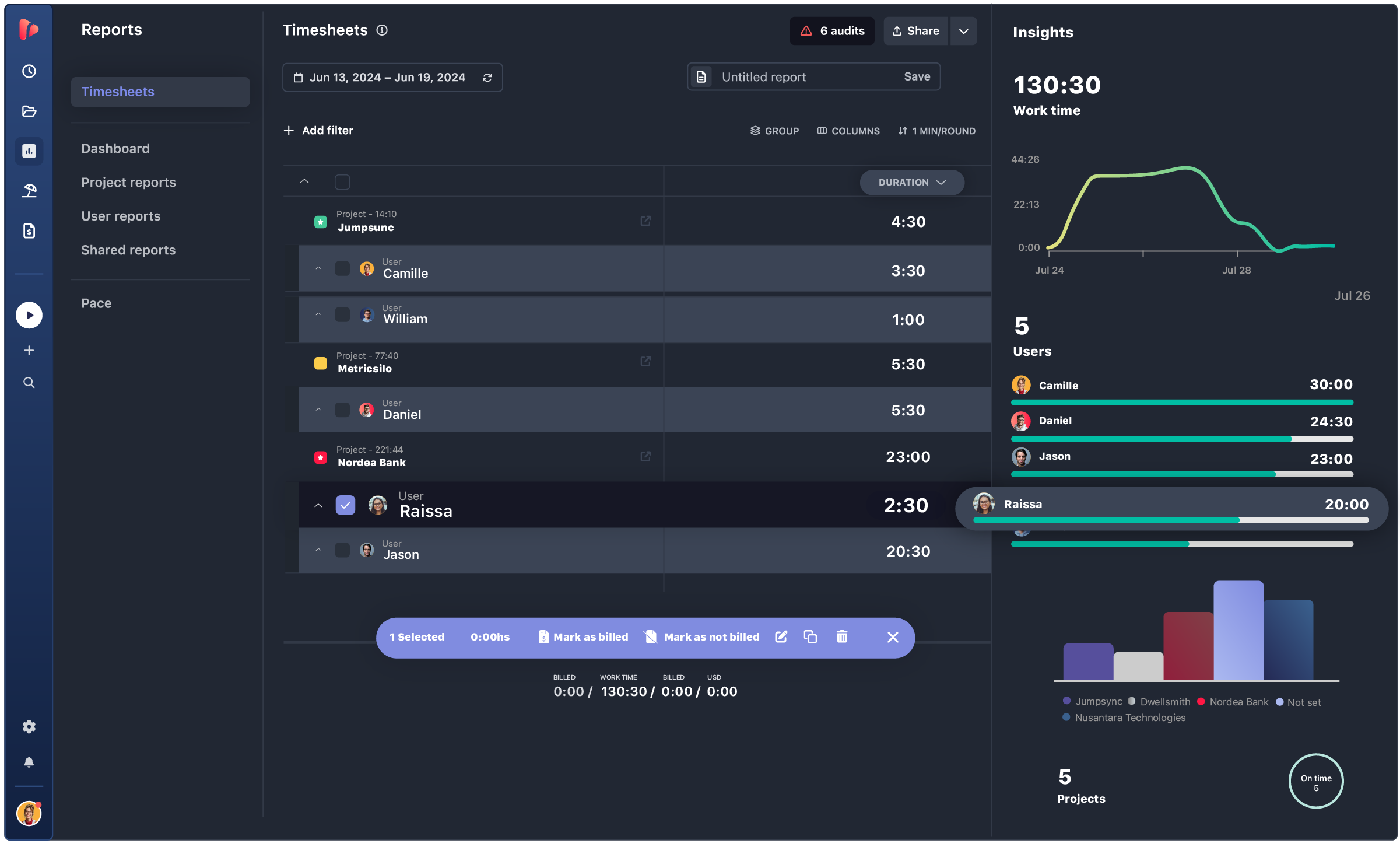
Toggl Track is a great timer. But billing clients, managing retainers, approving timesheets and running projects means paying for a second tool. TrackingTime does all four in one workspace, for less.
Get startedwhy switch
Toggl earns its place as a timer. But there's a point where a growing team runs into what it doesn't do, and that's usually where the switch to TrackingTime starts. It tends to start at the sixth teammate. Toggl's free plan caps out at five users, so growth forces an upgrade before the team even needs anything new. TrackingTime's free plan has no such ceiling, unlimited users, unlimited projects, so the trigger to pay ends up being a real need, not a headcount.
And when that upgrade does happen, it's cheaper at every step: TrackingTime starts at $4.50 a month against Toggl's $9, and even the top plan, with SSO and audit logs, comes in at $12 against Toggl's $18 Premium. The bigger gap isn't the price, though, it's what the paid plans actually include. Toggl gives you invoicing, rates and profitability, same as TrackingTime. But project retainers and expense tracking don't exist in Toggl at all, so agencies that bill on retainer end up bolting on a second tool just to close that gap.
The same is true for the work itself. Toggl stops at projects and sub-projects. TrackingTime adds a board, a timeline, a company-wide view, task comments, files and custom fields, so the team's actual work lives next to the hours, not in a separate app. And once the month closes, TrackingTime keeps going where Toggl stops: time cards, PTO with accrual, holidays and a full approval workflow, plus unlimited client users so the people outside the team can see it too.
TrackingTime vs Toggl Track
Across every tier, TrackingTime costs less for more. Free means free for everyone, not just the first five. The entry plan is half of Toggl’s. The top plan is $12, still under Toggl’s $18 Premium. You don’t trade budget for capability.
| TrackingTime | Toggl Track | |
|---|---|---|
| Free | $0, unlimited users & projects | $0, capped at 5 users |
| Entry paid | Starter $4.50 (annual) | Starter $9 (annual) |
| Mid | Pro $6.75 (annual) | — |
| Advanced | Pro Plus $8.50 (annual) | Premium $18 (annual) |
| Top | Business $12 (annual) | Enterprise, custom |
TrackingTime vs Toggl Track
The tracking experience doesn’t change. One-click and manual tracking, AutoTrack, browser and app integrations, calendar sync, reminders, and the same no-surveillance stance you already trust.
| TrackingTime | Toggl Track | |
|---|---|---|
| One-click & manual time tracking | ✅ | ✅ |
| Automatic tracking (AutoTrack) | ✅ | ✅ |
| Browser extension & app integrations | ✅ | ✅ |
| Calendar sync (Google & Outlook) | ✅ | ✅ |
| Reminders & idle detection | ✅ | ✅ |
| No screenshots / no surveillance | ✅ | ✅ |
TrackingTime vs Toggl Track
Both tools handle billable rates, invoicing and profitability. TrackingTime goes two steps further with project retainers and expense tracking, neither of which exists in Toggl. For teams that bill on retainer or reinvoice costs to clients, that gap is the whole reason to switch.
| TrackingTime | Toggl Track | |
|---|---|---|
| Billable & non-billable hours | ✅ | ✅ |
| Billable rates (project / task / user) | ✅ | ✅ |
| Invoicing | ✅ | ✅ Premium |
| Profitability & margins | ✅ | ✅ |
| Project retainers | ✅ | ✅ |
| Expense tracking | ✅ | ✅ |
TrackingTime vs Toggl Track
Toggl organizes work as projects and sub-projects. TrackingTime is an actual project management surface: a board, a project timeline, a company-wide view of every project, task comments, files and custom fields, with native time tracking in the same place. If your work is organized as projects with tasks, TrackingTime replaces both Toggl and a separate PM tool.
| TrackingTime | Toggl Track | |
|---|---|---|
| Tasks & assignments | ✅ | Partial |
| Board / Kanban view | ✅ | ❌ |
| Project timeline view | ✅ | ❌ |
| Company-wide project timeline | ✅ | ❌ |
| Task comments, to-dos & files | ✅ | ❌ |
| Custom fields | ✅ | ❌ |
TrackingTime vs Toggl Track
Beyond tracking, TrackingTime doubles as a lightweight HR back office: time cards, PTO with accrual, holidays and a full timesheet approval workflow, plus unlimited external client users so clients can log into their own reports. Toggl offers basic time off, approvals only on Premium, and no client login at all.
| TrackingTime | Toggl Track | |
|---|---|---|
| Time cards | ✅ | ❌ |
| PTO / time off + policies | ✅ | ✅ Basic |
| Time off with accrual | ✅ | ❌ |
| Timesheet approval workflow | ✅ | ✅ Premium |
| Unlimited client users | ✅ | ❌ |
| Unlimited free viewers | ✅ | ❌ |
TrackingTime vs Toggl Track
TrackingTime delivers enterprise governance on its $12 Business plan: SSO, audit logs, advanced roles and a 99.9% SLA. Toggl asks $18 Premium for most of the same, and the SLA only at Enterprise. Security and compliance don’t require an enterprise contract here.
| TrackingTime | Toggl Track | |
|---|---|---|
| SSO (Azure AD / Google) | ✅ ($12 Business) | ✅ ($18 Premium) |
| Audit logs | ✅ ($12 Business) | ✅ ($18 Premium) |
| Roles & advanced permissions | ✅ | ✅ ($18 Premium) |
| 99.9% SLA & GDPR DPA | ✅ ($12 Business) | ✅ (Enterprise) |
Honest take
We’d rather be honest than oversell. Here’s where Toggl still has the edge.
Toggl’s utilization reports, chart customization and Pomodoro extras are strong, and if reporting depth is the whole job, it holds up well on its own.
Native Jira and Salesforce sync, plus a larger integration catalog. If your stack already leans on those, switching means rebuilding connections you don’t have to rebuild today.
Toggl has more users, more community tutorials and more third-party guides. That familiarity has real value for teams that want the safest, most documented choice.
TESTIMONIALS
4.7/5 on G2 · 117 verified reviews · Recognized every season as High Performer and Momentum Leader in Project Management, Time Tracking, and Time & Attendance.





Get answers to all your questions about our service and plans.