




BILLING SOFTWARE FOR COMPANIES THAT BILL BY THE HOUR

Bill with confidence.
Retainers, expenses, and invoicing, backed by real numbers.

Billing software that turns tracked hours into retainer usage, expenses, and invoices ready to send, without last-minute reconciliation.

Get started
  • time reports

Retainers

Updated in real time as the team logs hours, no spreadsheet required to know what's left.

Expenses

Registered alongside hours, so every project shows its full cost, not just the time.

Margin

Visible while the project is running, not just when it closes.

TRUSTED BY TEAMS WORLDWIDE. 60+ INTEGRATIONS. FREE PLAN FOR UNLIMITED USERS.

  • Openstax
  • moma
  • playpass
  • ssl
  • smartsheet
  • mci

from tracked hours to invoice

The full cost of a project, tracked as it happens

Retainer usage and project expenses update as the team works, so the numbers are always current, not reconstructed at the end.

1

Retainer tracking

Set the hours or budget for each retainer once, then let consumption update automatically as the team logs time. See the percentage used at any point in the period, with enough warning to act before the block runs out, not after the invoice highlights it.

2

Expense tracking

Log every cost that isn't time, subcontractors, licenses, travel, materials, directly against the project it belongs to.
Mark each one billable or internal, so the total cost of a project always includes more than just the hours worked.

3

Invoicing

Once hours and expenses are approved, they come together into the numbers behind every invoice.

No pulling data from separate spreadsheets, no reconciling at the last minute, just a full, traceable record ready to send.

The billing cycle: turn tracked hours into invoices ready to send.

One cycle, no gaps between tracking time and getting paid for it. No detail gets lost between tracking time and billing for it.

1. Every hour logged already carries its cost and its place in the retainer.
2. Nothing reaches an invoice without a manager’s sign-off first.
3. The invoice reflects everything the project actually cost, not just the time.
4. What goes out matches what actually happened on the project.
01 / Track

Nothing changes about how the team logs time, but every hour now does more work behind the scenes. Team logs hours against the project as usual. Retainer consumption updates automatically, no separate entry. Rates convert hours into cost and revenue in real time.

03 / Add expenses

Costs that never fit into a timesheet get their own place, right on the project they belong to. Costs beyond hours, subcontractors, licenses, travel, get logged against the same project. Each expense is marked billable or internal. Expenses join approved hours to complete the project’s real cost.

02 / Approve

Before any number moves toward billing, it passes through the same approval workflow already in place. Hours go through the approval workflow before they count toward billing. Managers confirm accuracy before numbers move downstream. Approved hours lock in place, ready for the next step.

04 / Invoice

By the time a project reaches this step, there’s nothing left to calculate. Approved hours and billable expenses combine into invoices ready to send. Retainer consumption and margin are already visible before invoices go out. Nothing needs to be recalculated or reconciled manually.

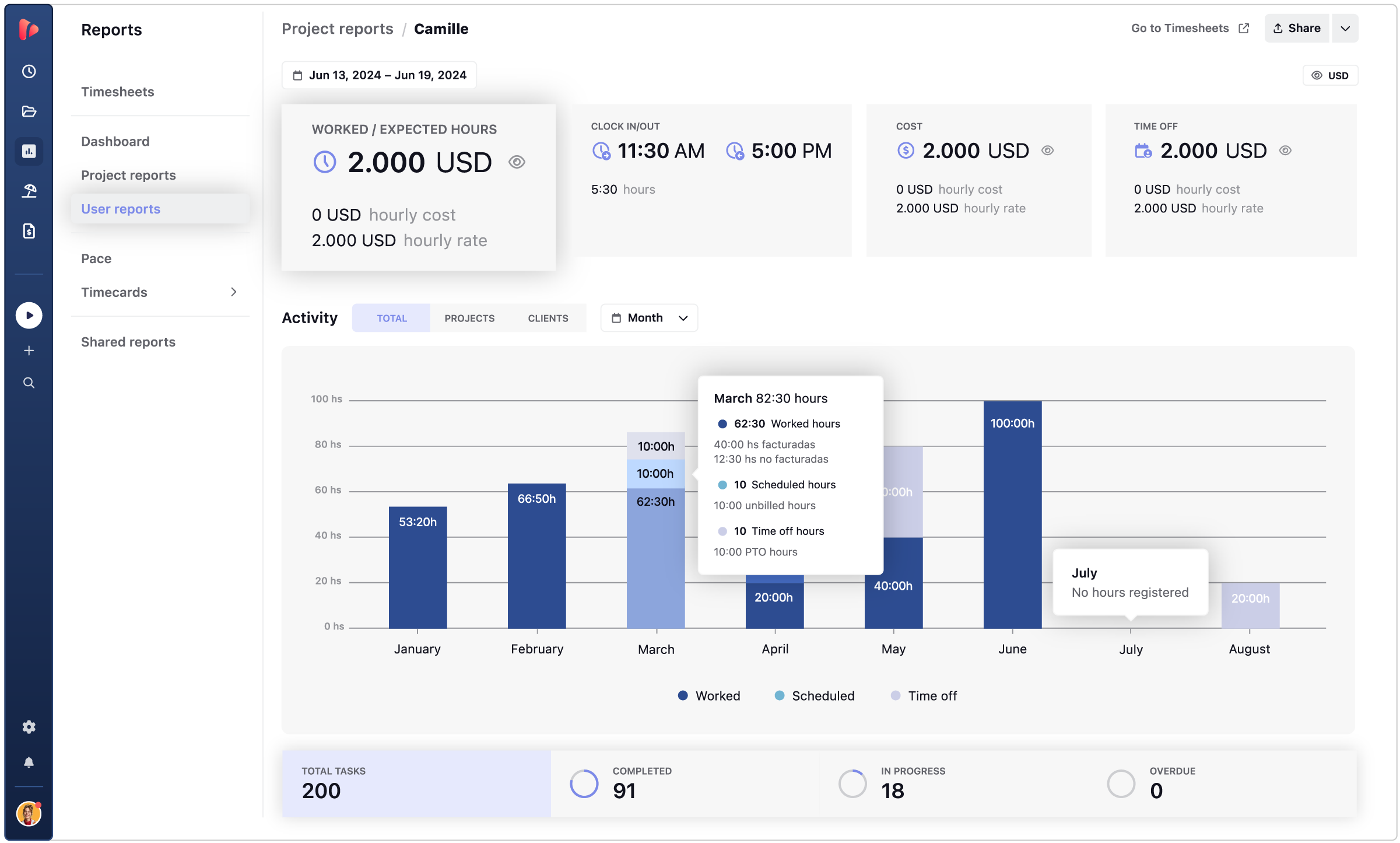
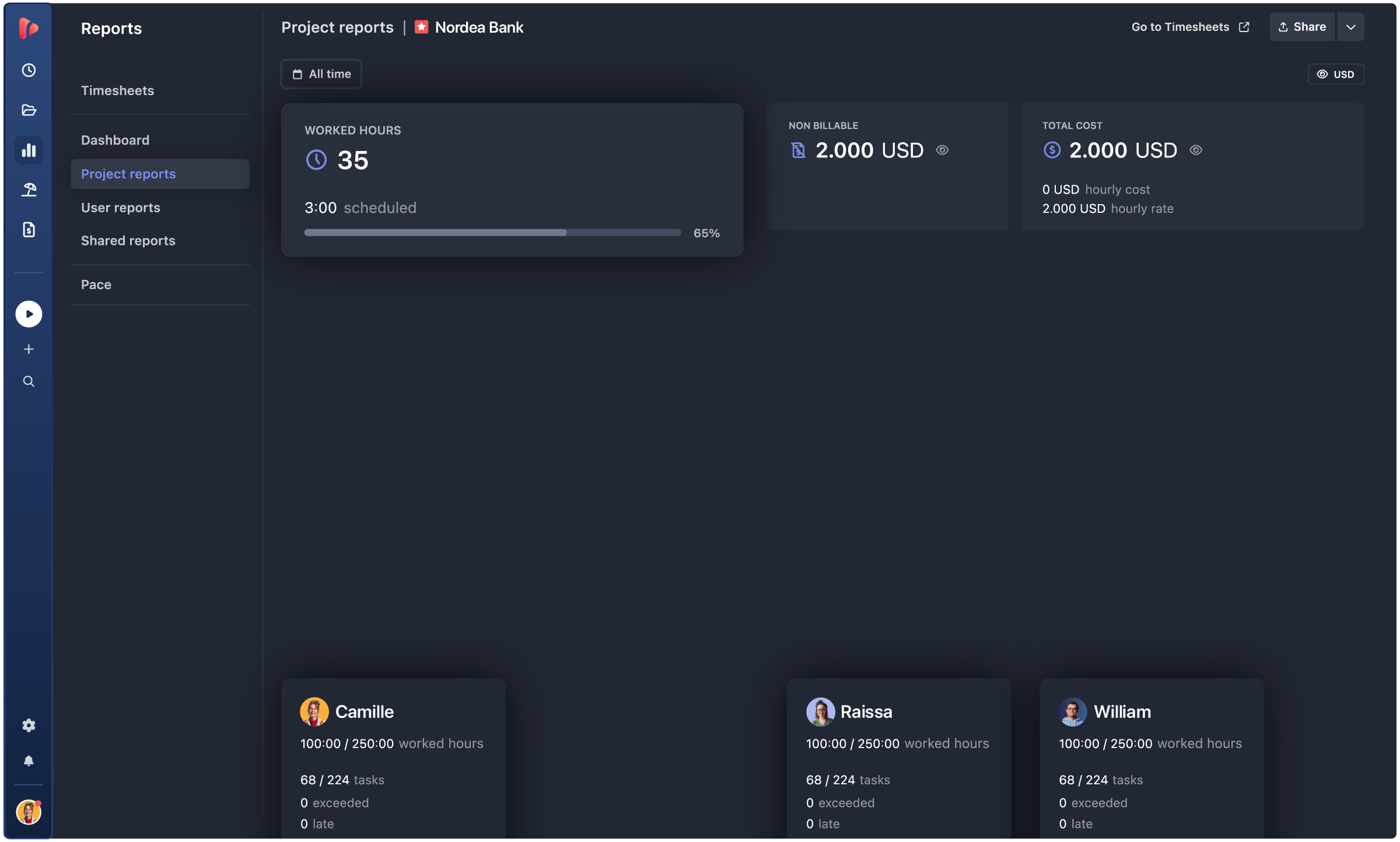
period report · periods · billing

Numbers that hold up, project after project.

The same numbers, whether you’re checking a report, a period, or an invoice.

Period report

The current period's numbers, worked hours, revenue, cost, profit, and expenses, all in one screen.

Periods

Every past period side by side, worked vs. estimated, cost, and margin, the trend a renewal conversation should start from.

Billing

Approved hours and billable expenses consolidate automatically into an invoice draft, ready to export as PDF or CSV.

the payoff

This is what profitable project billing looks like.

What changes once retainers, expenses, and hours share the same numbers.

No overrun surprises.

The team sees consumption before the block runs out, with enough time to adjust scope or talk to the client.

No forgotten expenses.

Billable costs get logged as they happen, so nothing gets left off the invoice.

Margin, visible in real time.

Cost and revenue update as the project runs, not just after it closes.

automation icon
Renewals backed by data.

Real consumption history replaces estimates when it’s time to renew or negotiate.

agencies · pms · finance

One source of truth for costs and revenue.

Retainers, expenses, and margin, read differently depending on who’s asking.

INTEGRATIONS

Track time where your team already works

TrackingTime lives where work happens. Add a timer to Asana, Jira, Notion, Monday, ClickUp, Microsoft Teams, Slack, and 60+ more — your team tracks without switching tabs.

Our company has had a fantastic experience with TrackingTime. We would recommend to anyone looking for an easy to use time tracking experience.


5 / 5

We've been using TrackingTime in our company and it's made a huge difference. The customer support is outstanding, quick, helpful, and genuinely interested in solving issues.


5 / 5

Awesome. There are a lot of tech internal features to be improved, such as data storage and sharing access, but it's great in general.


5 / 5

This app is a lifesaver! With TrackingTime, I can easily set project timelines and track my team's progress. The ability to create detailed timesheets and business reports for clients is a game-changer.


4.5 / 5

TrackingTime was incredibly convenient to use; its simple design made it accessible to anyone. The features were outstanding and the reports provided invaluable insights into my own productivity.


5 / 5

TrackingTime keeps my team and projects on track. Saves us hours of headaches and facilitates working remotely. Top notch.


4.3 / 5

Works really well to track project hours


5 / 5

Unmatched Tool for Time and Task Progress Tracking


5 / 5

One of the best time tracking app I've been using


4.5 / 5

Seamless Linear Integration and Easy to Use


5 / 5

TESTIMONIALS

Trusted by all kinds of teams

4.7/5 on G2 · 117 verified reviews · Recognized every season as High Performer and Momentum Leader in Project Management, Time Tracking, and Time & Attendance.

Bill your next project with confidence.

Get started

Free for unlimited users. No credit card required.

Sign in with Google

FAQ

Frequently Asked Questions

Get answers to all your questions about our service and plans.

Is project billing only available on a specific plan?

Yes, retainers, expense tracking, approvals, and invoicing are all part of Pro Plus, the plan built for teams that need the full financial cycle in one product.

Do I need both retainers and expense tracking, or can I use just one?

They work independently. Use retainers to monitor consumption blocks, expense tracking to capture costs beyond hours, or both together for the full picture of a project’s cost.

What happens if a client uses fewer hours than the retainer block?

Underutilization shows up in real time, so the team can prioritize deliverables and use the block before the period closes, instead of finding out after the client already feels shortchanged.

Do unused retainer hours roll over to the next period?

Not automatically. Unused hours don’t carry over on their own, if a rollover is agreed with a client, it’s set up manually for the new period.

We already track expenses in a separate spreadsheet, why switch?

A spreadsheet works with a handful of expenses updated consistently. Once the volume grows, reconciling it against hours every month becomes manual work that’s easy to get wrong, or skip.

Can I control which expenses get billed to the client?

Yes, every expense is marked billable or non-billable when it’s logged, so what reaches the invoice is a decision made upfront, not sorted out later.

How do approved hours and expenses become an invoice?

Once hours are approved and expenses validated, TrackingTime consolidates both into an invoice draft automatically, ready to export as PDF or CSV.

Can I see a project’s margin before the invoice goes out?

Yes, cost and revenue update as the project runs, so margin is visible while there’s still time to act, not just after the period closes.