







COMPLY WITH LEGAL REQUIREMENTS

Accurate and Compliant Employee Time Cards

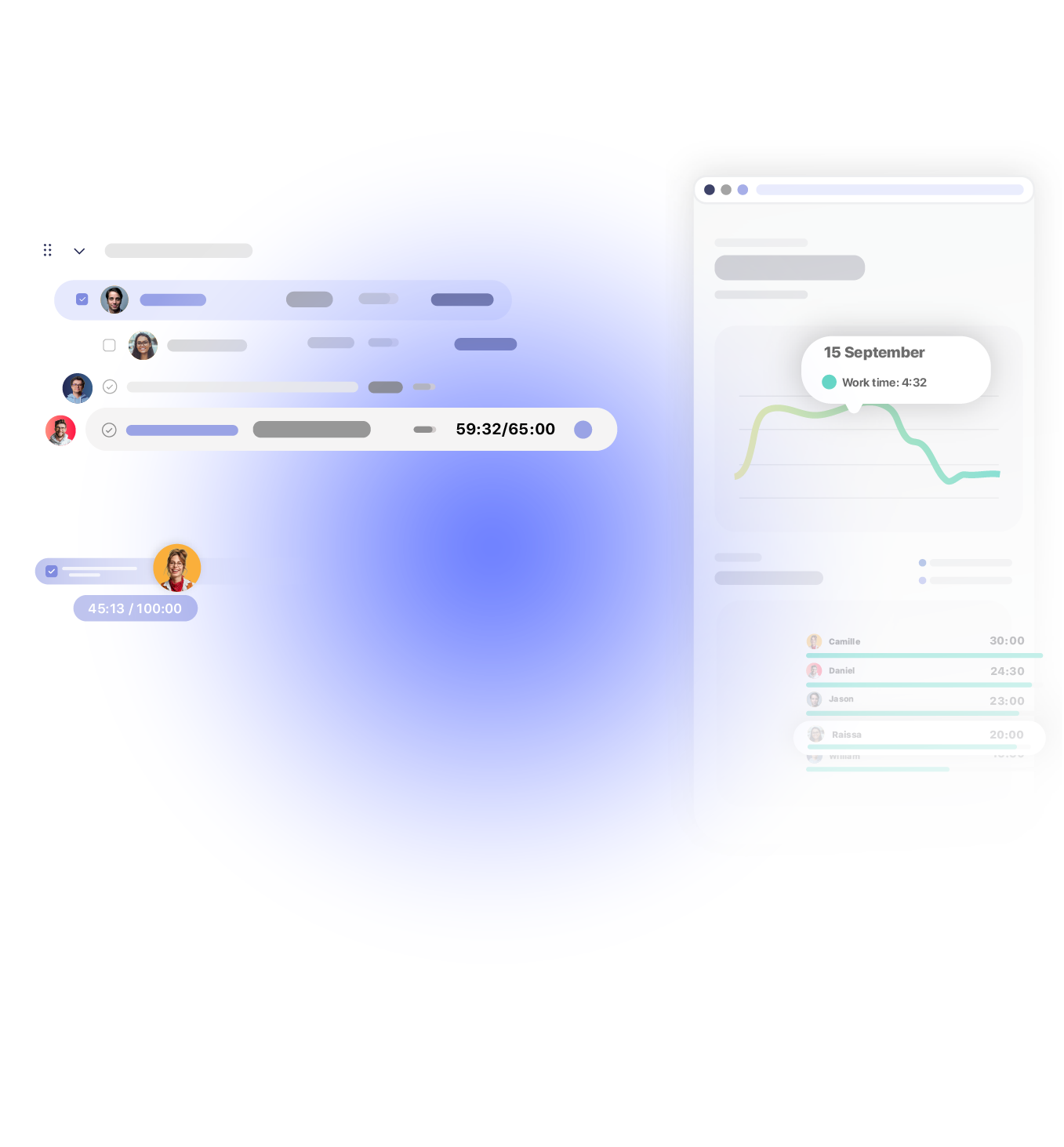
Track and store employee clock-in/out data accurately to meet compliance standards. Integrated with time and attendance management, our time cards offer real-time monitoring and effortless report generation to support payroll and HR needs.

Get started
  • timecard

Automatic Creation

Save time and eliminate errors with automatic time card creation. We generate time cards directly from employee time entries, ensuring accuracy without manual input.

Useful Reminders

Keep time cards accurate and compliant with built-in reminders. Employees receive notifications to review and complete their time cards, reducing missed entries.

Auto-Submission

Automate your time card process with auto-submission. Monthly time cards are automatically submitted for managers to review, reducing administrative workload.

TRUSTED BY TEAMS WORLDWIDE. 60+ INTEGRATIONS. FREE PLAN FOR UNLIMITED USERS.

  • Openstax
  • moma
  • playpass
  • ssl
  • smartsheet
  • mci

TIME CARD APP

Automated time cards for simple management

With automated time cards, both managers and employees can efficiently handle attendance and work hour records without manual checks, ensuring seamless and accurate time card management.

automatic time cards

Automatic Creation

We automatically generate time cards based on each employee’s individual work schedule, capturing clock-in and clock-out times without any manual input. This automation ensures accurate time tracking, reduces errors, and saves valuable time for both employees and managers.

revert submition

Easy Submission

Submitting time cards is quick and simple. Employees can easily review and verify their entries before submitting, ensuring accuracy. For added flexibility, the “revert submission” feature allows employees to make necessary adjustments to a submitted time card, promoting greater control over their work hours.

share report

Storage and Export

Stay compliant and organized with exportable, accessible time card data. Our app allows you to store and export time cards in PDF, CSV, or XLS formats, making it easy to share reports with HR, accounting, or legal teams as needed. This ensures your time card records are always available for audits or payroll processing.

RECORD EMPLOYEE CLOCK IN/OUT

Ensure accurate employee records

Our solution provides reliable, accurate employee records by automating essential elements such as clock-in/out, break detection, time-off, and overtime tracking.

employee records icon
Clock-in/Clock-out

Employees can log accurate work hours directly from their mobile devices, Slack, or Microsoft Teams, ensuring consistent records and reducing manual entry errors.

Approvals icon
Batch Approval

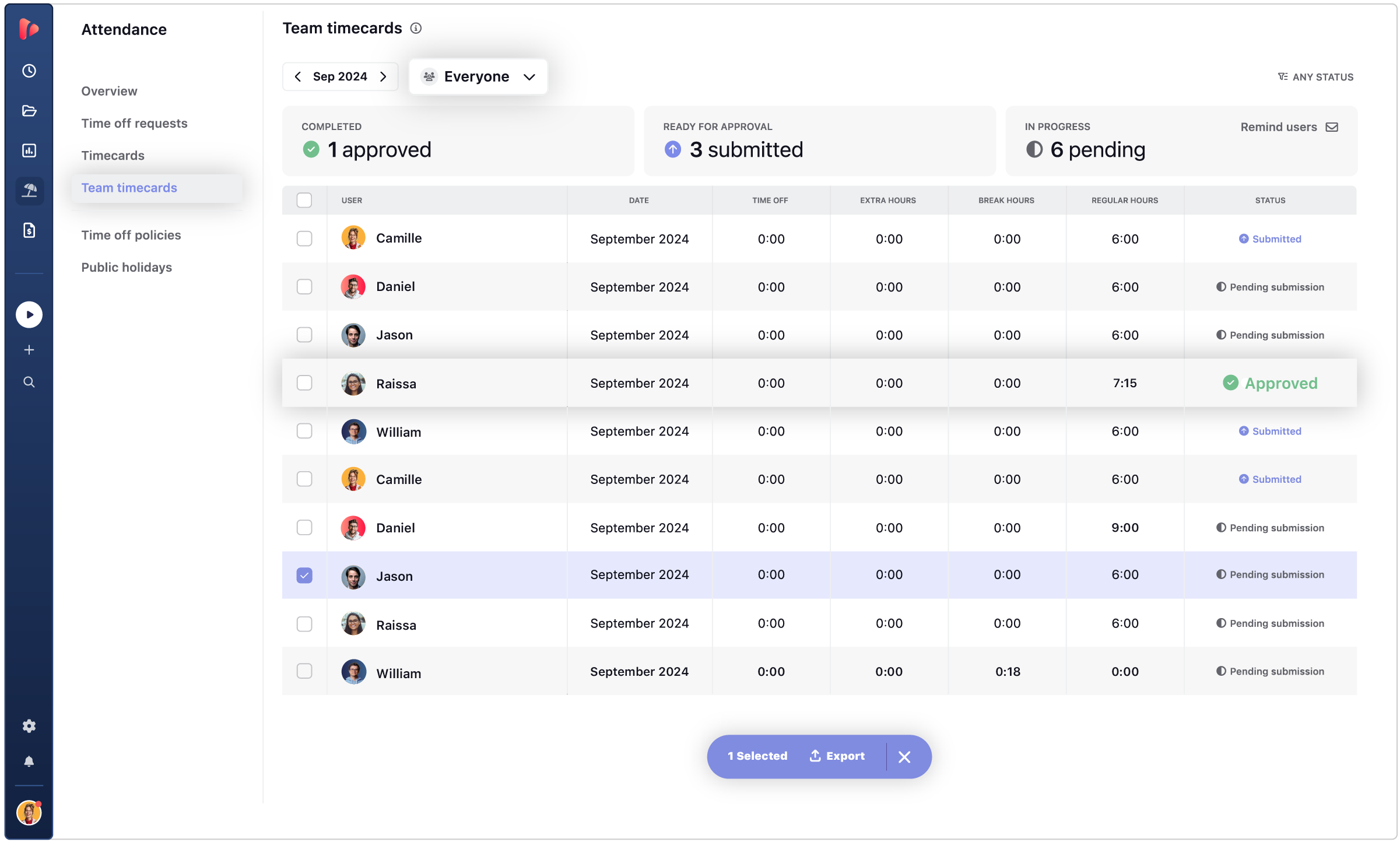
Batch approval allows managers to approve multiple employee time cards at once. This streamlines the review process, for managers to focus on high-priority tasks.

time off icon
Time-off and Overtime Tracking

Our time clock app integrates time-off requests and overtime hours into the system automatically. This ensures that every employee’s time card reflects accurate work hours.

time break icon
Break Detection

The app automatically detects breaks by identifying gaps between time entries, ensuring that all break times are accurately recorded without manual adjustments.

time cards icon
Auto-submit

Automatically submits completed time cards to managers for review each month, saving time and reducing administrative tasks for both employees and managers.

multi device icon
Multi-device Access

Employees can clock in and out from any device, providing flexibility in tracking work hours. Whether they’re in office, on-the-go, or using integrations, time cards are effortless.

CONTENT HUB

Explore actionable insights to automate employee time records

Check out practical guides, templates, and expert tips to help your team track work hours accurately and efficiently. From understanding digital time cards to automating approvals, discover how to modernize your workflow and keep every minute accountable.

COMPARE METHODS

How do online time cards outperform physical time cards?

Save 50% of administrative time! Online time cards are perfect for dynamic, tech-forward teams. Avoid errors with automated compliance and hassle-free audits.

Physical Time Cards

  • Prone to errors and lost data
  • Administrative oversight
  • Fail for legal compliance

Online Time Cards

  • Accurate and reliable
  • Automated clock-in/out
  • Compliant data storage

Time to go digital: While physical time cards have served businesses for decades, online time cards are designed for the modern workforce, providing unmatched accuracy, efficiency, and scalability. Whether you’re managing an onsite team or remote employees, replace physical time cards, switch to online time cards and experience the benefits firsthand!

How a Time Card Software Can Streamline Your Team’s Workflow

TrackingTime’s time cards offer a powerful solution for tracking employee hours, simplifying attendance, and enhancing project management. With this online time card tool, teams can eliminate manual entries, reduce administrative workload, and improve communication for smoother project coordination.

A time card app allows for easy access to accurate hours, better budget management, and real-time attendance tracking. This all-in-one tool enhances time card management for an efficient workflow.

time management icon

Comprehensive Tracking for Seamless Management

Gain full visibility with TrackingTime’s time card app. Track and review time allocation, manage deadlines, and accurately forecast project hours. This ensures all tasks align with schedules and budgets, reducing the risk of overruns and delays.

More on Time Management
communcation icon

Enhanced Team Coordination and Communication

Record individual and team hours effortlessly using an online time card. With centralized tracking data, managers can refine workflows, allocate resources effectively, and ensure all team members are on the same page.

More on Team Collaboration
billing icon

Efficient Billing and Cost Management

TrackingTime’s real-time time card calculator simplifies accurate billing, ensuring that all client invoices reflect actual hours worked. With precise time data, you can keep projects on budget and control expenses more efficiently.

More on Client billing
growth icon

Support Employee Growth and Team Efficiency

Empower your team by analyzing tracked hours and identifying improvement areas. By understanding time usage through employee time cards, team members can develop skills, increase efficiency, and achieve continuous improvement.

More on Efficiency

Easily manage employee time cards with an intuitive app that streamlines time-off requests, shift management, and work hour records in one platform. Ensure accurate, compliance-ready records and optimize workflow by simplifying time card tracking and reporting.

SIMPLIFY OPERATIONS

Full time and attendance management for your company

Efficient time and attendance management is crucial for any dynamic team. Our attendance tracker provides a streamlined solution for monitoring attendance, managing employee time-off, and automating scheduling, ensuring every team member contributes to the team’s success.

Holidays

You can create a list of holidays for your team's schedule or import them automatically

Personal time

Workspace admins receive email notifications when employees request time-off

Other leaves

Create a list of types for your team to choose when requesting time-off

REPORT WORK

Leverage live and scheduled shared reports

Simplify the reporting process with a comprehensive solution to bill clients and report internally to colleagues and partners.

Create Reports

Filter billable hours for the desired period by project, task, user, or client, and group them according to your needs. Export your report in the desired format or directly into an invoice to send to your clients.

  • Accurate reporting of billable hours.
  • Group your data to improve the process.
  • Export professional reports and invoices.

Share Reports

Generate a customized report to share online through a private or public link. Create professional reports with stylish colors, patterns, and charts. Display the latest data available.

  • Professional and customized reports.
  • Share online reports with link.
  • Rely on the latest data available.

Schedule Reports

Automate your reporting process with scheduled shared reports.
Schedule your reports to be sent to clients and collegues automatically to simplify month-end close.

  • Schedule periodic reports.
  • Automate client reporting.
  • Simplify month-end close.

INTEGRATIONS

Track time where your team already works

TrackingTime lives where work happens. Add a timer to Asana, Jira, Notion, Monday, ClickUp, Microsoft Teams, Slack, and 60+ more — your team tracks without switching tabs.

  • This app is a lifesaver! With TrackingTime, I can easily set project timelines and track my team's progress. The ability to create detailed timesheets and business reports for clients is a game-changer.

    on nachonacho.com

  • TrackingTime was incredibly convenient to use; its simple design made it accessible to anyone. The features were outstanding and the reports provided invaluable insights into my own productivity.

    on capterra.com

  • TrackingTime keeps my team and projects on track. Saves us hours of headaches and facilitates working remotely. Top notch.

    on nachonacho.com

TESTIMONIALS

Trusted by all kinds of teams

4.7/5 on G2 · 117 verified reviews · Recognized every season as High Performer and Momentum Leader in Project Management, Time Tracking, and Time & Attendance.

leave your feedback

TIME TRACKING APP

Track time, not people

Free for unlimited users

Get started

Start tracking today. Invite your entire team — no seat limits, no credit card, no time limit on the free plan.

Sign in with Google

FAQ

Frequently Asked Questions

Get answers to all your questions about our service and plans.

What is time card software?

Time card software digitally records when employees start and end their workday — replacing paper punch cards or physical time clocks. Beyond recording clock-in and clock-out times, it calculates daily and weekly hours automatically, flags overtime against scheduled hours, tracks time off, and exports data directly to payroll — eliminating manual transcription and the errors that come with it.

What’s the difference between a digital time card and a punch clock?

A punch clock records a timestamp when an employee clocks in or out. A digital time card does that and more: it calculates total hours automatically, applies work schedule rules, tracks overtime against expected hours, logs time off alongside attendance, and feeds that data into reports or payroll exports without manual re-entry. The core action is the same; what you can do with the data is entirely different.

Why switch from paper time cards or punch clocks to software?

Paper cards and punch clocks create data that lives in a physical record — someone has to transcribe it, calculate totals, and cross-reference against schedules manually. Software eliminates those steps: hours are calculated automatically, overtime is flagged in real time, and the data is ready to export for payroll without re-entering anything. It also creates an audit trail that paper records can’t provide.

How do time cards connect to payroll in TrackingTime?

TrackingTime’s time cards consolidate each team member’s daily hours worked — including overtime against their defined work schedule — into a structured dataset that can be exported as CSV, PDF, or Excel. This gives HR and finance teams the data they need for payroll without manually aggregating from multiple sources. Time card data sits alongside time off and holiday records in the same system. Time cards are available on the Pro plan.

Does TrackingTime track overtime automatically on time cards?

Yes. When you define a work schedule for a team member — expected daily or weekly hours — TrackingTime uses that as a baseline. Any hours logged beyond that schedule appear as overtime in the time card view. Managers can see overtime by individual or across the team without manual calculations, making it easier to catch workload issues before they affect payroll.

Can time card records be exported for payroll processing?

Yes. Time card data in TrackingTime can be exported to CSV, PDF, or Excel at any time. Exports include individual daily totals, overtime, and time off, organized by person and date range — structured to match what payroll systems or HR teams typically need.

How does time card tracking work in TrackingTime?

TrackingTime’s time card records attendance separately from project time tracking. Team members log their workday start and end — via the web app, desktop app, or mobile — and TrackingTime calculates their daily total against their defined work schedule. Overtime is flagged automatically. The same system also tracks time off and holidays, so the complete attendance picture is in one place.

What’s the difference between a time card and a timesheet in TrackingTime?

In TrackingTime, these capture different dimensions of time. A timesheet records what work was done — hours logged against specific projects, tasks, and clients. A time card records when someone worked — daily attendance, total hours, and whether they exceeded their scheduled hours. Both live in the same system, which means you can see not just how many hours a person worked, but how those hours were distributed across projects and clients.

Does TrackingTime’s time card work alongside project time tracking?

Yes, and that’s one of its key advantages. Most time card tools are attendance-only — they tell you someone worked 8 hours but not on what. In TrackingTime, attendance data and project data live in the same workspace. HR sees total hours and overtime for payroll; managers see the same hours broken down by project and client. No reconciliation between systems needed.

Does TrackingTime keep auditable records of employee work hours?

Yes. TrackingTime maintains a structured record of each team member’s daily hours, overtime, time off, and holidays — with timestamps showing when entries were logged. Time audits let managers review and flag incomplete or inconsistent records before they become a payroll or compliance issue. For organizations with formal audit requirements, the Business plan includes audit logs that track changes across the workspace.

How does TrackingTime help with overtime and labor regulation compliance?

TrackingTime lets you define work schedules per employee — expected daily and weekly hours — and automatically surfaces overtime when logged hours exceed that baseline. Time off policies can be configured by team, role, or country to reflect local labor rules. The result is a system that tracks the data labor regulations typically require — hours worked, overtime, leave — without building it manually in a spreadsheet.

Can TrackingTime time card records be used as documentation for labor inspections?

Yes. Time card data in TrackingTime — daily totals, overtime, time off, and schedule compliance — can be exported to CSV, PDF, or Excel at any time and for any date range. This gives HR and legal teams a structured, exportable record of work hours that can serve as documentation for labor inspections, payroll audits, or internal compliance reviews.

Does TrackingTime’s time card work for remote or hybrid teams?

Yes. TrackingTime runs as a web app, desktop app, and mobile app, so team members can log their workday from anywhere — no physical kiosk or shared terminal required. Managers see attendance data consolidated in one view regardless of where each person is working. The system is designed for distributed teams from the ground up, not retrofitted from a physical punch clock model.

Does TrackingTime use GPS or location tracking for time cards?

No. TrackingTime does not use GPS, geofencing, or location data of any kind. Attendance is recorded through the employee’s own device — web, desktop, or mobile — without capturing where they are. For organizations that want reliable attendance data for remote or hybrid teams without location surveillance, this is a deliberate design choice, not a limitation.

How does a remote employee clock in with TrackingTime?

Remote employees log their workday start and end directly in TrackingTime — via the web app, desktop app, or mobile app on iOS or Android. There’s no shared terminal, no PIN pad, and no photo verification. The time card records when they started, when they finished, and calculates their total hours against their work schedule automatically. The same entry is visible to their manager in real time.