How TrackingTime fits into your firm’s workflow.
No process changes required. Set up your client and matter structure once, define required fields and billing rates, and let the team log time from the tools they already use.
Time Tracking for Professional Services
TrackingTime helps law firms, architecture studios, and accounting practices build a time record that holds up to clients, partners, and billing reviews, without adding work to the people who need to log it.

THE PROBLEM
A professional works nine hours on a Tuesday. The timesheet shows seven on Friday. That gap per person, across the firm, across the month, is revenue that was already earned and never billed.
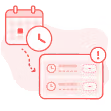
Time logged from memory at the end of the week is incomplete. The further the entry happens from the work itself, the more detail gets lost. Hours go unrecorded because the capturing process happens too late.

A time entry without a matter, a description, or a work type doesn't make it through a billing review. Clients audit invoices line by line and reject entries they can't contextualize. Records need to be specific enough to defend billing.
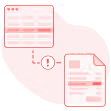
Spreadsheet-based approvals leave no audit trail, no locked record, and no clean export. Each billing cycle starts with reconciliation. The invoice reflects what someone assembled at month-end, not what was approved.
What Professional Services Firms Need to Track
Logging hours is the starting point. What makes those hours billable is attribution, context, and a record structured to survive a billing review.

Every hour needs a home: the right client, the right matter or commission. Matter-level attribution at the moment of capture is what makes billing an export, not a reconciliation exercise.

A senior partner and a junior associate work on the same matter at different rates. Tracking who did the work instead of just that work was done is what makes rate application accurate and automatic.

A logged hour without a description, work type, or matter reference is incomplete for billing purposes. The context that makes an entry defensible needs to be captured at the moment of logging, not reconstructed afterward.

For fixed-fee engagements, the margin question is hours logged against the phase budget. Phase-level tracking turns a fixed fee into a measurable commitment with an early warning when consumption runs ahead of schedule.

Internal meetings, business development, and firm administration consume capacity that never reaches an invoice. Separating billable from non-billable time shows where the firm’s hours actually go beyond client work.

Hours that exist but have not been reviewed and approved cannot close a billing cycle cleanly. Knowing which entries are pending, submitted, or approved (by person and by period) is what makes billing predictable and auditable.
Time Records

Set required fields at the project level. Every entry your team logs includes the matter, service type, and rate — filled when the work happens, not reconstructed days later.

Partners and managers approve entries before billing opens. Once signed off, records are locked. No edits, no retroactive changes.

Every entry has a full audit trail: who logged it, when, and who approved it. If a client disputes a charge, your firm has a timestamped, unaltered record to back it up.


No process changes required. Set up your client and matter structure once, define required fields and billing rates, and let the team log time from the tools they already use.

Create your client and matter hierarchy in TrackingTime, then add service types or phases, time estimates, and team assignments. Every tracked hour is automatically attributed to the right client and matter, so time data is billing-ready from the first entry.
Set which fields every time entry must include before it can be saved: client, matter, description, or work type. Add billing rates by user, project, or task. The policies and rates apply automatically to every entry from the moment the team starts tracking.

Give each role the entry method that fits how they work: web app, mobile app, browser extension, or AutoTrack suggestions. Time is logged close to when the work happens, with required fields enforced at the moment of capture, not reconstructed afterward.

Partners review submitted entries by person and period, approve or reject in bulk, and add comments to anything that needs correction. Approved entries are locked and exported as a structured, billing-ready dataset, with no manual reconciliation for the billing coordinator.
Built for law firms, architecture studios, accounting practices, and other professional firms that need billing-grade time records across every client matter, phase, and engagement. Works for solo practitioners.
BEFORE AND AFTER
See how law firms, architecture studios, and accounting practices move from incomplete, retroactive time logs to structured records that arrive at billing already attributed, approved, and ready to invoice.
who is it for
The fastest-growing agencies and consultancies know their unit economics cold. Time tracking is how they validate that growth is actually profitable — not just busy.
Social proof

High rates from our users confirm that we’re built for teams.







OPENSTAX

MOMA

PLAYPASS

SSL

SMARTSHEET

MCI
FAQS
Billing rates, time records, approvals, client reports, and setup.
Yes. TrackingTime applies rates at three levels: by user (the default rate for that person), by project (a matter or commission-specific rate), and by task (a service-type rate). The most specific level takes priority automatically. A senior partner on a general matter gets their user rate; if they work on a task with a different rate, TrackingTime applies that rate to those entries.
Yes. When a rate changes, TrackingTime keeps all prior entries at the rate that was active when the work was done. A rate change in October does not affect September entries. The billing record reflects what was agreed at the time of the work, not the current rate.
Yes. Each project in TrackingTime has its own billing type. Fixed-fee projects track hours against an estimated budget and show real-cost vs. budget in real time. Hourly projects accumulate billable entries for invoicing. Both billing types run simultaneously across different clients.
Yes. TrackingTime’s policy engine lets firms define which fields are required before an entry can be saved: client, matter, description, work type, or any combination the firm needs. If an entry is missing a required field, TrackingTime prevents it from being saved. The structure is enforced at the moment of capture, not corrected afterward.
No. Once a partner approves an entry in TrackingTime, it is locked. No retroactive changes are possible. If a correction is needed, the entry goes back through the review cycle with a comment explaining what changed. The audit trail is preserved throughout.
Yes. TrackingTime’s approval workflow lets partners see all entries by person and period, approve or reject in bulk, and add inline comments to anything that needs correction. Rejected entries return to the timekeeper for resubmission. The full cycle is logged with timestamps.
Yes. Every action in TrackingTime’s approval workflow is timestamped and attributed: who submitted, who approved or rejected, when, and any comments made during review. This record is permanent and available if a billing decision is ever questioned.
Yes. TrackingTime’s Shared Reports give clients a link to a live view of their hours by matter, phase, or service type for the billing period. No account is required. Clients see only what the firm decides to share, with no access to internal rates, other matters, or other clients.
Yes. Shared Reports in TrackingTime update in real time as the team logs and approves time. The client opens the link and sees current data without any manual export or email from the firm.
No. TrackingTime works as the firm’s project and matter management system directly. Clients, matters, phases, and service types are created inside TrackingTime — the client to matter to task hierarchy is built in. If the firm already uses a PM tool, TrackingTime can integrate with it instead.
No. TrackingTime does not capture screenshots, keystrokes, or screen activity. There is no location tracking. People record their own time, and partners and managers see what was logged and approved. This distinction matters for professional service firms where trust and autonomy are part of the working culture.
Time tracking for professional services
No reconstructed entries. No approval gaps.
No billing disputes at invoice time.