PROJECT MANAGEMENT WITH NATIVE TIME TRACKING

Manage your projects.
Tasks, time, and budgets, all in one place.

Project management software with time tracking built into every task. Free to start, unlimited users.

Get started
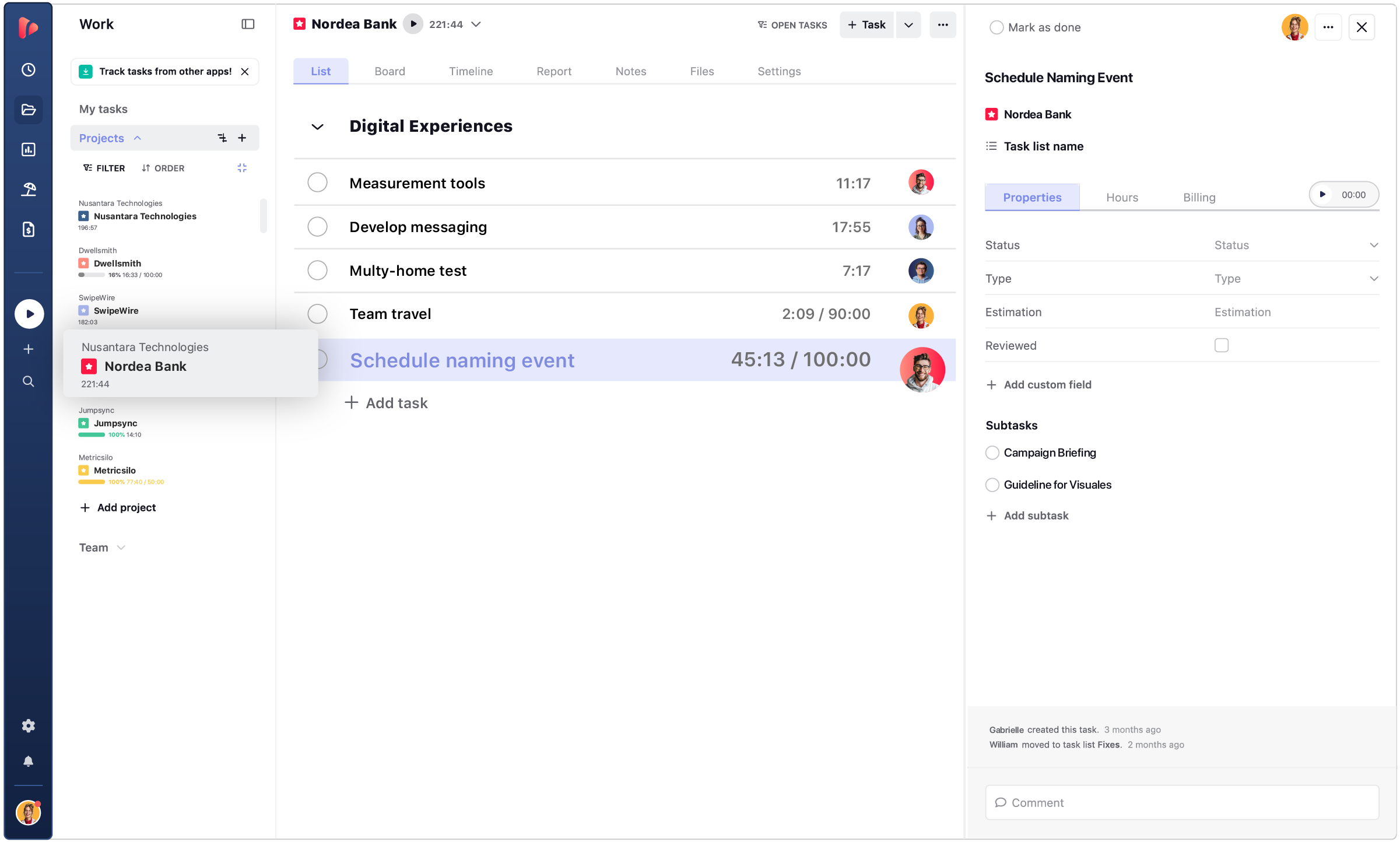
  • Task list view
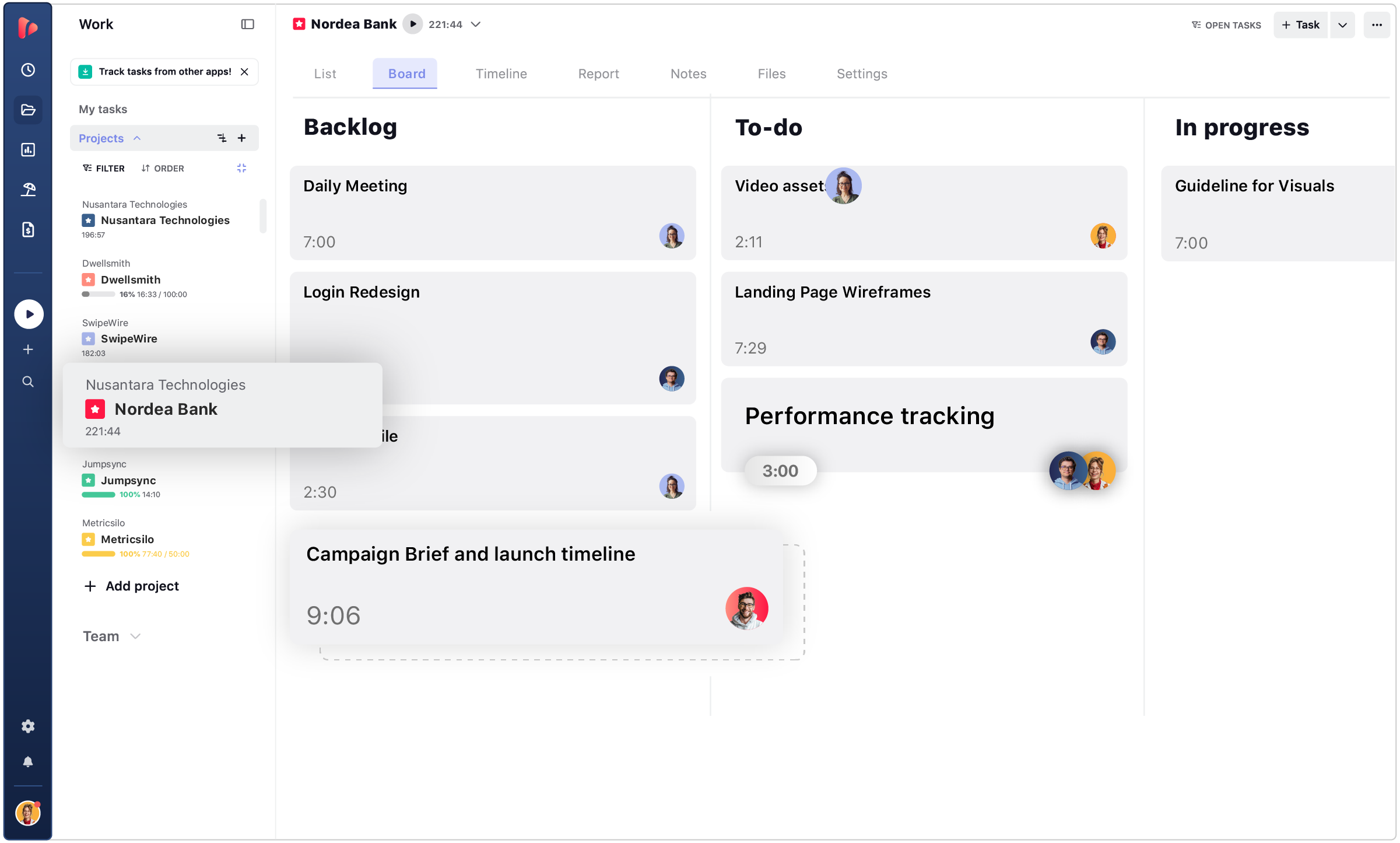
  • Board view
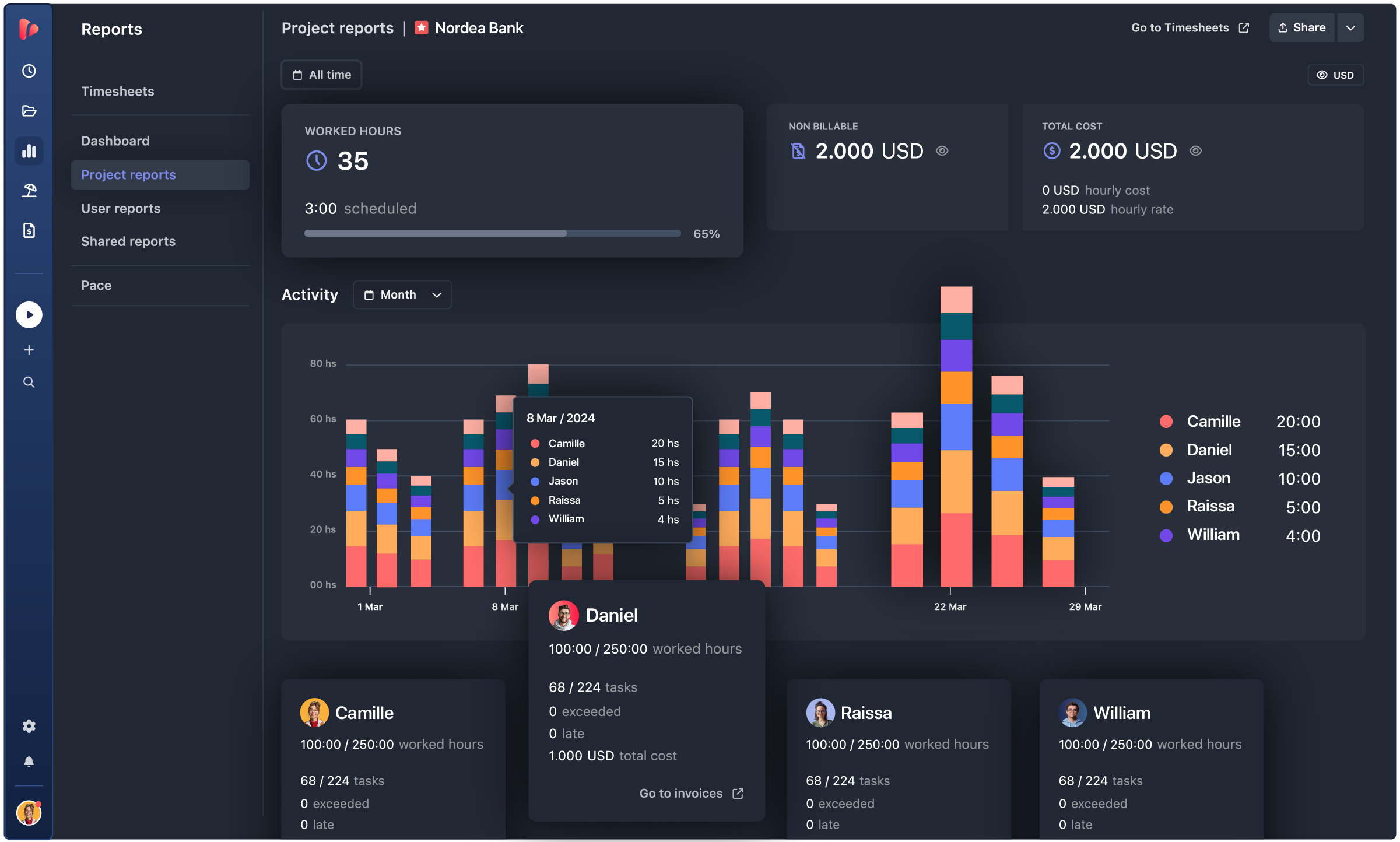
  • Project report
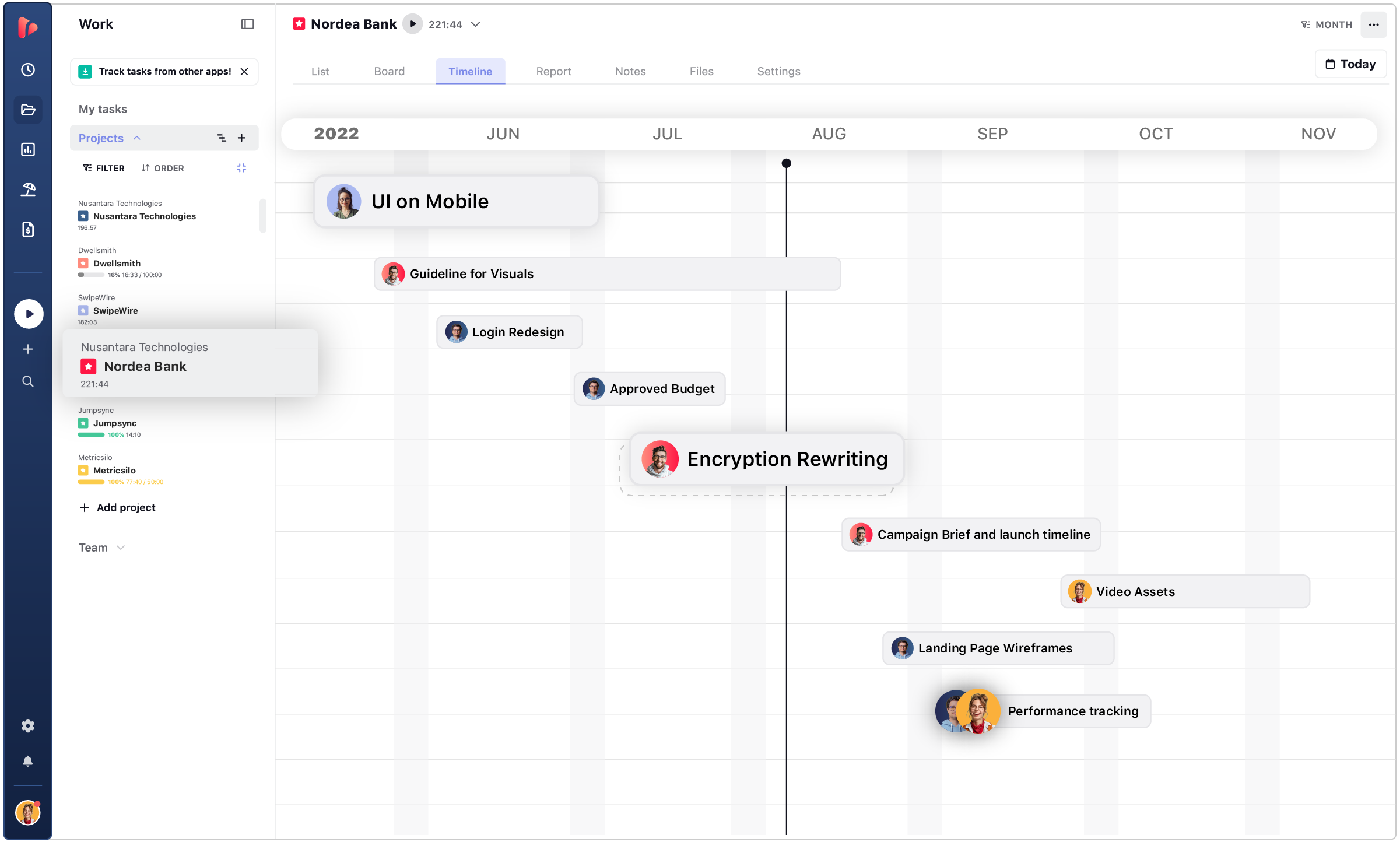
  • Project timeline

Tasks, boards, and timelines

Plan and organize the work in the same workspace where the team already tracks time.

Time tracking built in

Every task carries its own timer, not a separate app to open and reconcile later.

Budget and expense tracking

Estimate versus actual, plus expenses, without switching tools.

TRUSTED BY 15,000+ TEAMS. 60+ INTEGRATIONS. FREE PLAN FOR UNLIMITED USERS.

  • Openstax
  • moma
  • playpass
  • ssl
  • smartsheet
  • mci

manage team tasks

Every task carries its own time and cost.

One workspace for planning the work, tracking the hours it takes, and seeing what it costs to deliver, all without switching between separate tools.

Performance insights

One workspace

Projects and tasks live in the same place as the time tracked against them. There's no separate app for planning the work and another for logging hours. What needs to get done, who's doing it, and how long it's taking all sit in one workspace.

client reports

Hours tied to tasks

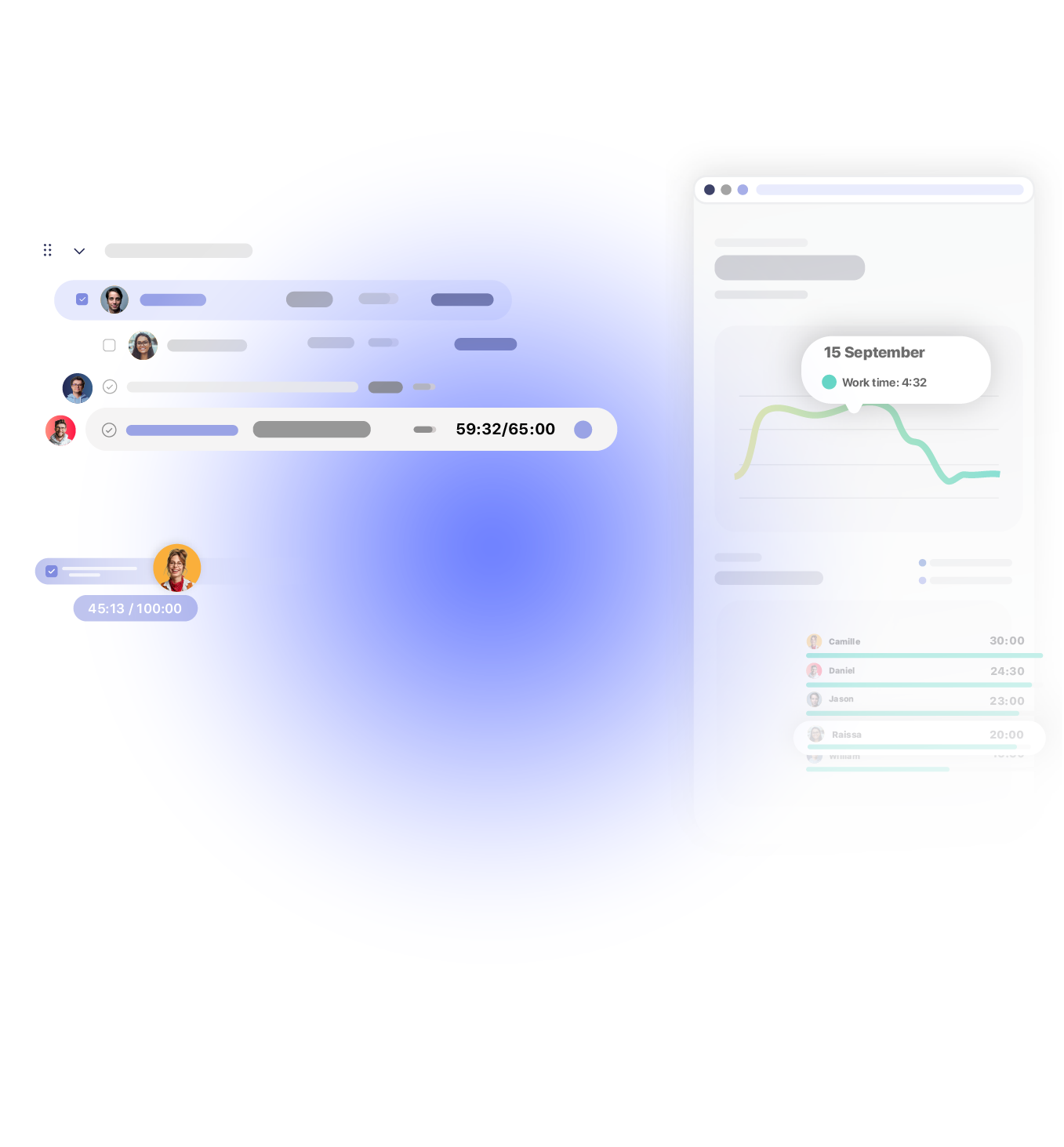
Every hour logged attaches directly to the task it belongs to, not to a generic timer running in the background. That's what makes it possible to know how long a specific piece of work took, not just how many hours the team logged that day.
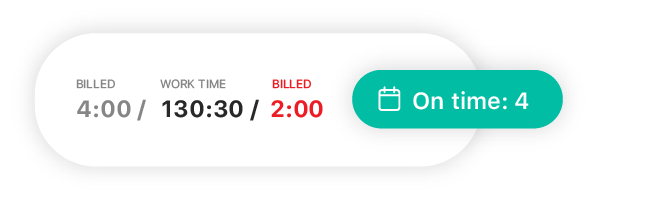
One-Click Audit

Cost and progress, together

Progress and cost update from the same data, in real time. A manager checking on a project sees both at once, how far along it is and what it has cost so far, without exporting a report or opening a second tool.

with or without a pm tool

Your project manager, or the layer on top of the one you have.

Two ways to use TrackingTime, depending on how your team already organizes work.
TrackingTime handles projects and tasks. For backlog and roadmap work, add a dedicated PM tool alongside it.

01 / No PM tool yet

TrackingTime becomes your project manager, with the task list, board, and timeline in the same place. Time gets tracked directly on each task, and project reports build themselves instead of getting put together by hand.

→ One tool instead of three.

02 / Already using a PM tool

Tasks sync automatically from Jira, Asana, ClickUp, Monday, and more, with no double entry and no manual updates. Time, cost, and profitability get added on top, and the team keeps working right where it already does.

→ Same board, more visibility.

comments · notifications · shared views

This is what clarity looks like for your team.

What usually causes confusion on a team: lost context, missed updates, and status meetings that repeat what’s already on the board. All covered inside the project.

Comments, on the task.

Add comments and leave notes directly on the task they belong to, so context never gets lost in a separate thread.

icons management
Files, in context.

Attach files to the task itself, so nobody has to search another folder or thread to find them.

reminder icon
Alerts, right on time.

Email and in-app notifications fire the moment a status changes or a deadline gets close.

team icon
One plan works for everyone.

Shared views keep the whole team looking at the same version of the project as the only source of truth.

estimate vs. actual

Catch the overrun while there’s still time to fix it.

Compare what you planned against what’s really happening, for every task and every project.

Estimate

  • Hours set per task and project at kickoff
  • Hourly rate or fixed fee assigned upfront
  • The budget everyone agreed to before work started

Actual

  • Real hours logged as the work happens
  • Cost calculated automatically from tracked time
  • Compared against the estimate in real time

Set the estimate once. Watch it against reality for the rest of the project.

profitability

Know the margin behind every project.

Hours multiplied by rates equals cost. Add expenses and the margin becomes a real number.

INTEGRATIONS

Track time where your team already works

TrackingTime lives where work happens. Add a timer to Asana, Jira, Notion, Monday, ClickUp, Microsoft Teams, Slack, and 60+ more — your team tracks without switching tabs.

Our company has had a fantastic experience with TrackingTime. We would recommend to anyone looking for an easy to use time tracking experience.


5 / 5

We've been using TrackingTime in our company and it's made a huge difference. The customer support is outstanding, quick, helpful, and genuinely interested in solving issues.


5 / 5

Awesome. There are a lot of tech internal features to be improved, such as data storage and sharing access, but it's great in general.


5 / 5

This app is a lifesaver! With TrackingTime, I can easily set project timelines and track my team's progress. The ability to create detailed timesheets and business reports for clients is a game-changer.


4.5 / 5

TrackingTime was incredibly convenient to use; its simple design made it accessible to anyone. The features were outstanding and the reports provided invaluable insights into my own productivity.


5 / 5

TrackingTime keeps my team and projects on track. Saves us hours of headaches and facilitates working remotely. Top notch.


4.3 / 5

Works really well to track project hours


5 / 5

Unmatched Tool for Time and Task Progress Tracking


5 / 5

One of the best time tracking app I've been using


4.5 / 5

Seamless Linear Integration and Easy to Use


5 / 5

TESTIMONIALS

Trusted by all kinds of teams

4.7/5 on G2 · 117 verified reviews · Recognized every season as High Performer and Momentum Leader in Project Management, Time Tracking, and Time & Attendance.

Start your next project with the numbers built in.

Get started

Free for unlimited users. No credit card required.

Sign in with Google

FAQ

Frequently Asked Questions

Get answers to all your questions about our service and plans.

We already use Asana, Jira, or ClickUp. Why add another tool?

TrackingTime doesn’t replace your PM tool. It syncs your tasks and adds time, cost, and profitability on top.

Will my team really use another tool?

If your team already has a PM tool, there’s nothing new to adopt, tasks sync automatically, and time tracking sits on top of the board they already use. If your team doesn’t have one yet, task list, board, and timeline are simple enough to start using right away, with no setup process needed.

Doesn’t my project management tool already track time?

Basic timers built into PM tools don’t show cost, compare actual time against estimate, generate invoices, or connect to payroll. TrackingTime is built specifically to measure and manage time.

Is this enough to replace my current PM tool?

It depends on the kind of work your team does. Projects built from tasks work well as a direct replacement. Product work with epics, backlogs, and Gantt dependencies works better through an integration, with TrackingTime handling time and cost.

Can I track time and budgets in the same place?

Yes. Set hours per task and project at kickoff, compare actual time against estimate as the project moves, and see cost and margin update from the same data.

Can I see if a project is losing money before it closes?

Yes. Cost and margin update in real time as hours and expenses are logged, so you don’t have to wait until the project closes to see whether it’s profitable.

What if my team uses a different tool, like Basecamp or Trello?

TrackingTime connects with 60+ tools. Tasks sync automatically from the ones your team already uses, and time tracking adds on top.

Does setting up the integration take a lot of work?

No. Connect the account once, and tasks sync automatically from there.