MANAGE PROJECTS BASED ON TIME DATA

Project Management Software with Built-in Time Tracking

See the big picture and focus on the work that matters. From planning to reporting, get full visibility into time, costs, and productivity to deliver projects on time and on budget.

Get started
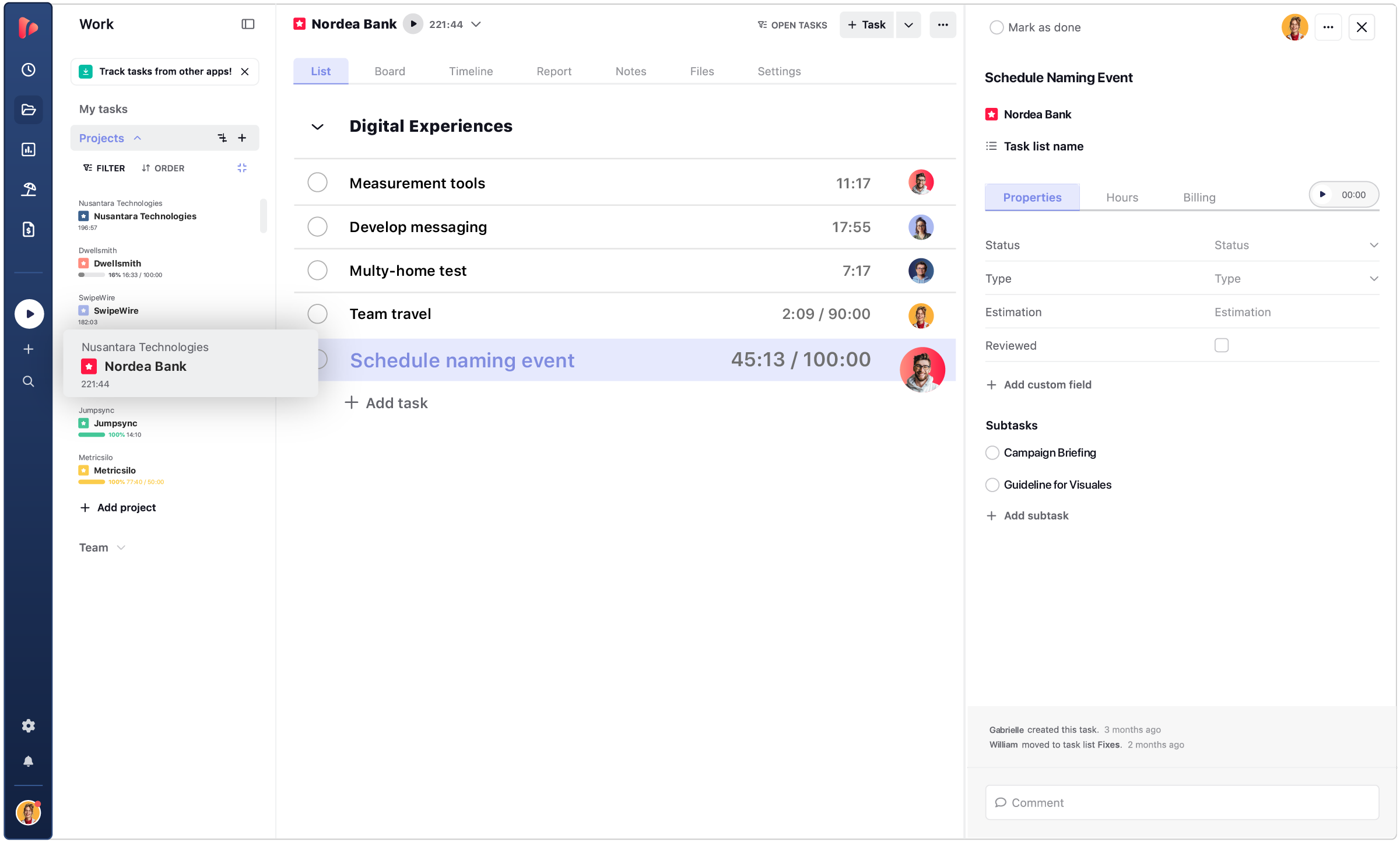
  • Task list view
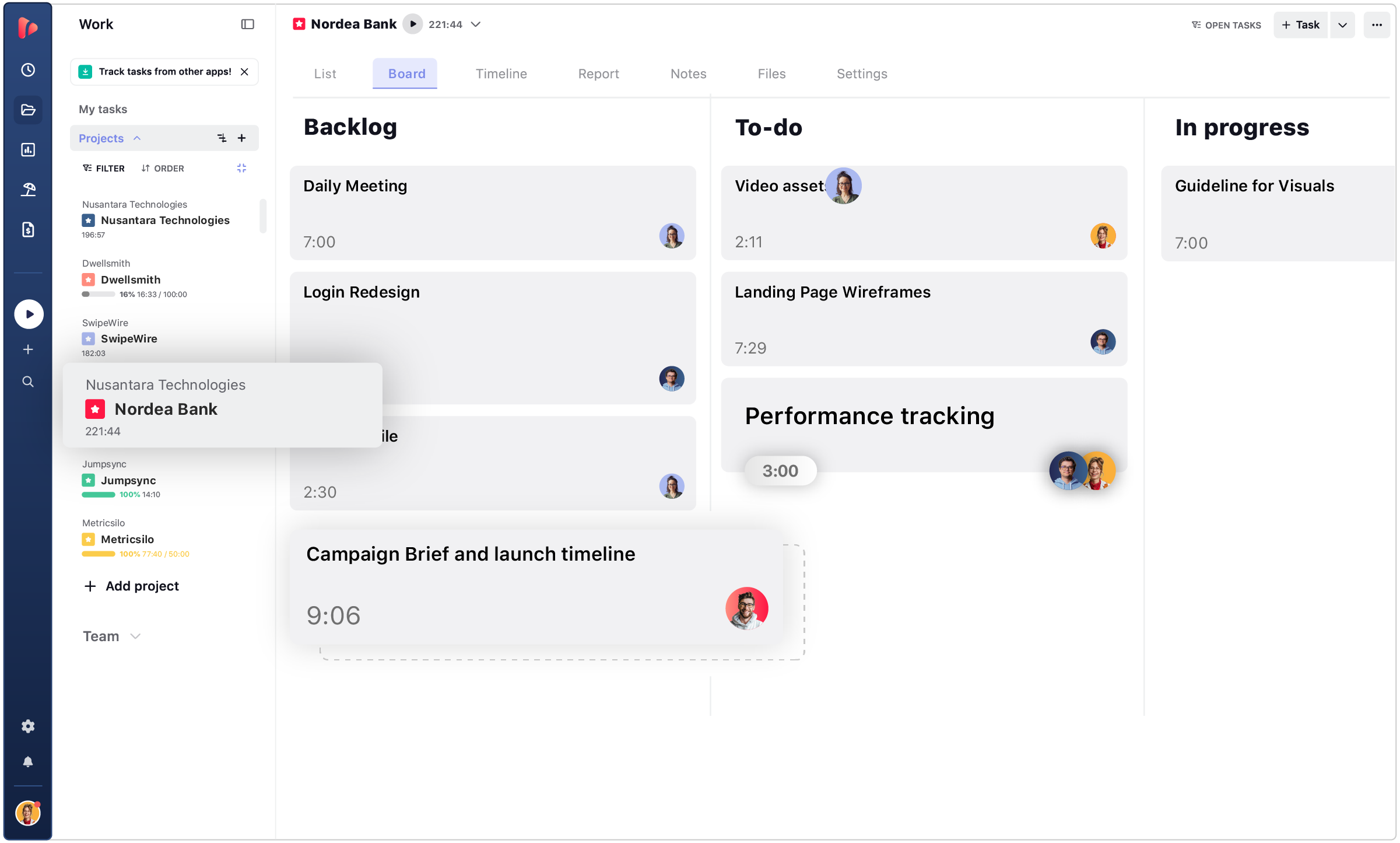
  • Board view
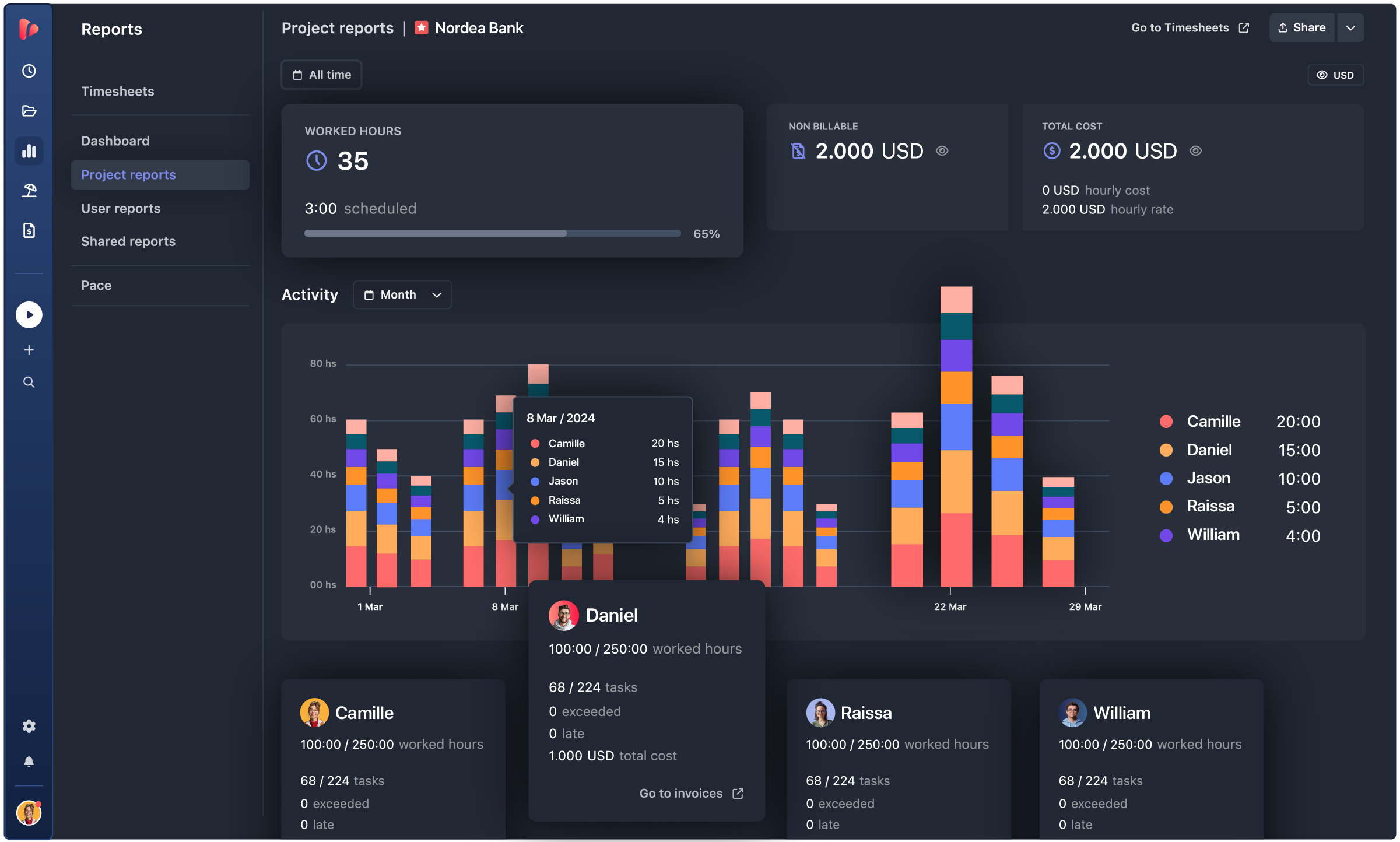
  • Project report
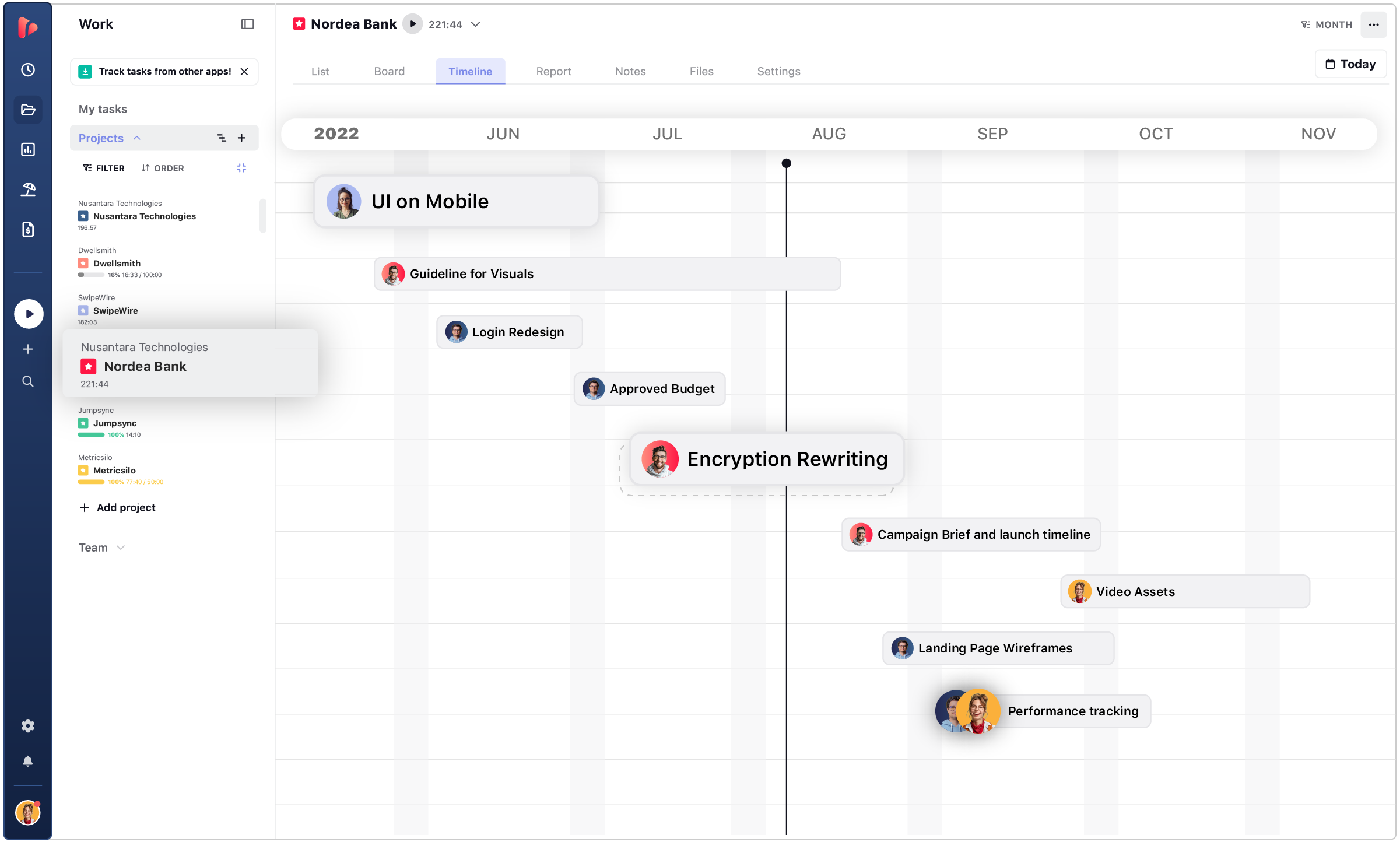
  • Project timeline

Task List

Organize tasks by priority, track progress in real time, and keep every project moving with total clarity.

Board

Visualize work on a clean Kanban board to manage workflows, spot bottlenecks, and keep teams aligned.

Project Report

Get instant project insights with real-time reports that highlight progress, costs, and team performance.

Timeline

Plan projects on a visual timeline to map dependencies, manage deadlines, and stay on schedule.

TRUSTED BY TEAMS WORLDWIDE. 60+ INTEGRATIONS. FREE PLAN FOR UNLIMITED USERS.

  • Openstax
  • moma
  • playpass
  • ssl
  • smartsheet
  • mci

PROJECT TRACKING

Track your projects in real time

Take control of your projects with live insights that show exactly where time and effort go. Track every milestone, balance your team’s workload, forecast progress with confidence, and turn your goals into clear, achievable outcomes.

client reports

Track Milestones

Stay aligned from start to finish by tracking milestones as they happen. Visualize your project timeline, monitor task dependencies, and see exactly where your team stands at any moment. Real-time updates help you spot potential roadblocks early and keep projects moving forward without surprises. Turn progress tracking into a smooth, transparent process for everyone involved.

team

Manage Workload

Keep workloads balanced and your team performing at its best. See who’s working on what, allocate resources efficiently, and prevent burnout before it happens. With clear visibility into assigned tasks and time spent, you can adjust priorities quickly and make sure every team member contributes where they add the most value.

registro del tiempo flexible

Hit Goals & Deadlines

Turn plans into measurable results with built-in time tracking and performance insights. Compare estimated vs. actual time, track deliverables, and keep goals realistic and achievable. With automated progress tracking and deadline alerts, you’ll stay ahead of schedule, deliver quality work, and maintain complete confidence in every project outcome.

ACE PROJECTS

Project Time Tracking for Teams

Manage team work efficiently. Keep everyone on the same page to promote transparency and build a work culture around trust.

Approvals icon
Project summary

Get a complete overview of every project at a glance. Track progress, deadlines, and responsibilities to keep your team aligned and focused on results.

team icon
Analyze team performance

Understand how your team works best. Measure productivity, spot bottlenecks, and improve efficiency with clear performance insights.

Monitor progress and status

Stay on top of what’s happening in real time. Follow updates, task completion, and milestones to ensure every project stays on track.

reporting icon
Report insights

Turn data into decisions. Create detailed reports on time, costs, and performance to evaluate results and optimize future projects.

icons management
Share files and notes

Keep communication effortless and organized. Share files, notes, and updates within each project to maintain transparency and collaboration.

Set project views

See your projects the way you work best. Switch between list, timeline, and board views to visualize progress and manage priorities with ease.

CONTENT HUB

Actionable insights to master projects from start to finish

Discover expert guides, comparisons, and best practices to elevate your project management workflow. From planning and collaboration to tracking time and profitability, explore strategies to help your team deliver on time, stay aligned, and reach every goal efficiently.

What a project time tracking software can do for your company:

Project time tracking software helps teams manage work efficiently, optimize performance, and deliver results with confidence. It combines time tracking, project planning, budgeting, and reporting in one platform — giving you a complete view of how your team works and where your projects stand.

With TrackingTime, managers gain real-time visibility, teams stay aligned on goals, and every project moves forward with clarity and purpose.

list icon

Task Management and Collaboration

Organize projects, assign tasks, and keep your team connected from start to finish. Track progress in real time, share updates instantly, and ensure every milestone is reached on schedule.

More on Task Management
growth icon

Project Analytics and Reports

Turn tracked data into actionable insights. Dashboards and reports help you understand how time is spent, measure progress, and identify areas for improvement. Make data-driven decisions that keep projects on track and improve performance over time.

More on Reports

Budgeting and Cost Control

Plan and monitor budgets with accuracy. Track billable hours, forecast project costs, and compare estimates to actuals to ensure profitability. Stay within budget and adjust resources when needed to keep every project financially healthy.

More on Rates and Costs
billing icon

Centralized Billing and Invoicing

Simplify how you bill clients and manage payments. Automatically generate invoices from tracked project data and keep all billing information organized in one place. Save time on admin work and guarantee transparency with every client.

More on Client Billing

Achieve more with tools built for the way you work: Whether you’re managing internal projects, tracking client work, or overseeing budgets, TrackingTime helps your team stay aligned and efficient. Connect your favorite tools and manage everything — from planning to billing — in one seamless workflow.

PROJECT BUDGETING

Track budgets and estimates based on time data

Stay on budget with accurate time-based forecasting.
Turn tracked hours into clear estimates and keep every project financially under control.

Plan and estimate project hours

Start every project with clarity and precision. Define tasks, assign resources, and estimate how many hours each phase should take. With time data from past projects, you can create more realistic plans, prevent underestimations, and ensure teams know exactly what’s expected before work begins.

Track actual vs estimated time

Compare how projects perform against your original estimates in real time. See where you’re over or under budget and adjust timelines or resources instantly.
By tracking actual hours spent, you gain the insights needed to refine future planning and improve accuracy with every project.

Set hourly rates or fixed price

Choose the pricing model that fits your workflow. Set billable hourly rates or fixed fees per project, and let the system calculate costs automatically based on tracked time. This flexibility helps you forecast revenue, stay profitable, and maintain transparency with clients at every step.

PROJECT PLANNING

Plan your projects with confidence

TrackingTime lets you set project and task estimates and track progress against them in real time, so you can stay on budget and hit your deadlines without extra tools.

Standard Time Trackers

  • No project-level or task-level estimates
  • No real-time budget tracking
  • Require separate tools for budgets and reporting
  • Limited visibility into time vs. plan
  • Manual effort to track overages

TrackingTime

  • Set project and task time estimates
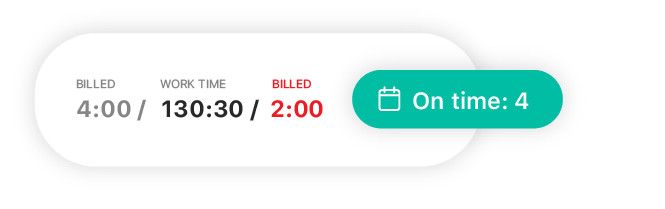
  • Track actual time vs. estimates in real time
  • Get visual dashboards for budget progress
  • Export reports on budget and time variances
  • All-in-one time + budget + project tracking

TrackingTime gives you full visibility into time, tasks, and budgets — so you can manage projects efficiently without switching tools.

PROJECT PROFITABILITY

Analyze project profitability with insightful reports

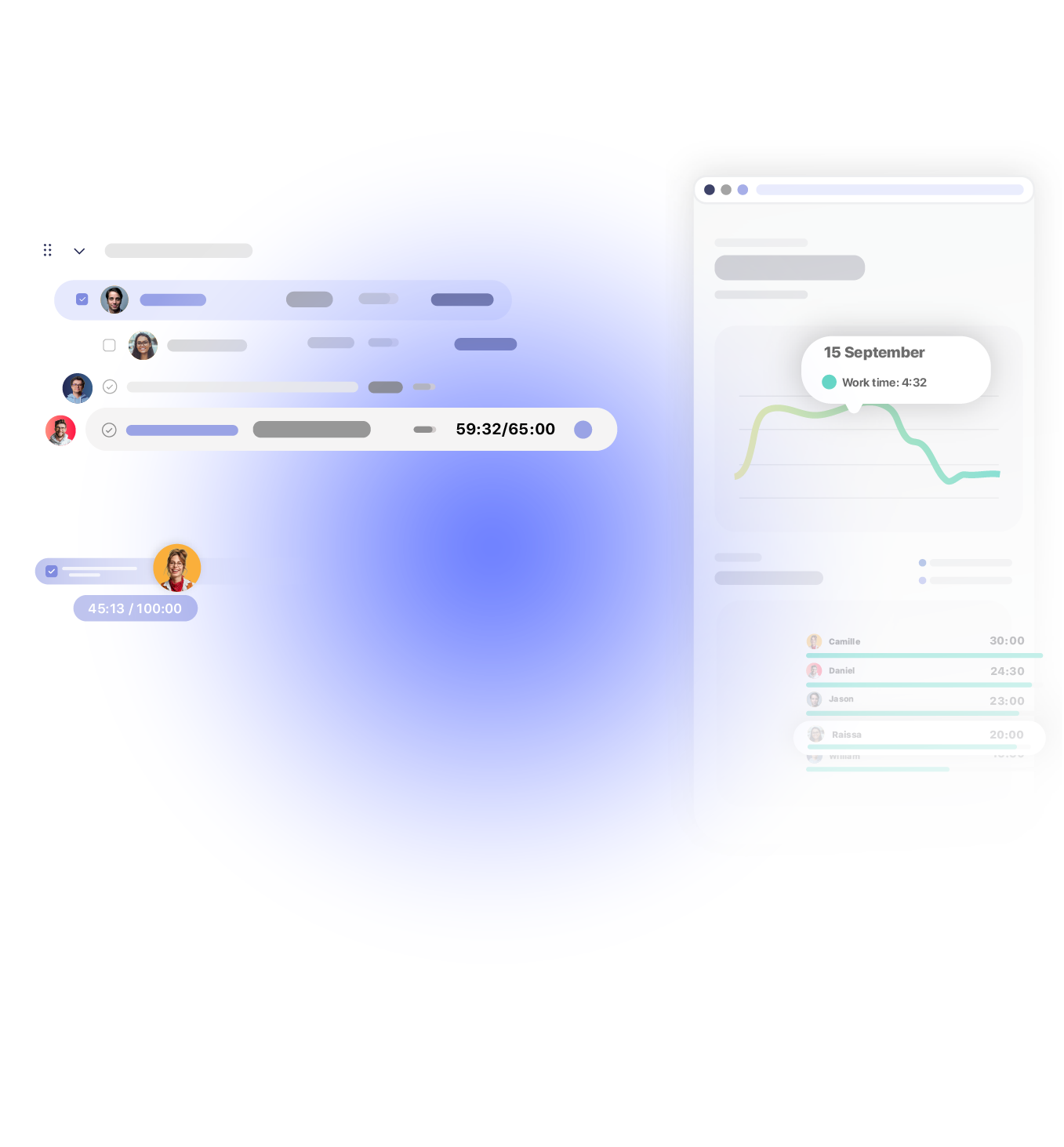
Make every project count with data that reveals true profitability. Identify patterns, forecast outcomes, and build more efficient, profitable workflows.

INTEGRATIONS

Track time where your team already works

TrackingTime lives where work happens. Add a timer to Asana, Jira, Notion, Monday, ClickUp, Microsoft Teams, Slack, and 60+ more — your team tracks without switching tabs.

  • This app is a lifesaver! With TrackingTime, I can easily set project timelines and track my team's progress. The ability to create detailed timesheets and business reports for clients is a game-changer.

    on nachonacho.com

  • TrackingTime was incredibly convenient to use; its simple design made it accessible to anyone. The features were outstanding and the reports provided invaluable insights into my own productivity.

    on capterra.com

  • TrackingTime keeps my team and projects on track. Saves us hours of headaches and facilitates working remotely. Top notch.

    on nachonacho.com

TESTIMONIALS

Trusted by all kinds of teams

4.7/5 on G2 · 117 verified reviews · Recognized every season as High Performer and Momentum Leader in Project Management, Time Tracking, and Time & Attendance.
leave your feedback

PROJECT TIME TRACKER

Track time, not people

Free for unlimited users

Get started

Start tracking today. Invite your entire team — no seat limits, no credit card, no time limit on the free plan.

Sign in with Google

FAQ

Frequently Asked Questions

Get answers to all your questions about our service and plans.

What is project management software?

Project management software helps teams plan, organize, and track work from start to finish. It centralizes tasks, deadlines, responsibilities, and progress updates so teams can collaborate efficiently and deliver projects on time. For teams that also need to measure effort and cost, it works best when connected to time tracking.

How does project management software help teams stay organized?

It creates a shared workspace where tasks are assigned, prioritized, and tracked across board, timeline, and list views. Teams can see what is in progress, what is blocked, and what is next — reducing miscommunication, missed deadlines, and duplicated effort.

How does project management software improve project planning?

Teams can break work into tasks, set deadlines, assign owners, and track progress against estimates. TrackingTime adds time estimates at the task and project level, so teams can plan not just what gets done, but how long it should take — and compare that against actual hours as work progresses.

Can project management software track project progress in real time?

Yes. Real-time dashboards and project reports show task completion, workload status, and time logged so managers can adjust priorities, reassign work, and spot budget risks before they become problems.

Can project management software track time and budgets?

Yes — when time tracking is built into the same platform. TrackingTime connects project tasks directly to tracked hours, billable rates, and budget pace reports, so teams can compare estimates against actuals, understand the real cost of delivery, and improve forecasting for future projects.

How does project management software improve team productivity?

It clarifies ownership, surfaces dependencies, and reduces the coordination overhead that slows teams down. When time data is also connected — as in TrackingTime — managers can see not just what is done but how long things take, making it easier to identify bottlenecks and improve capacity planning over time.

What kind of reports does project management software provide?

Most project management tools report on task completion and deadlines. TrackingTime adds time-based reporting on top: hours by project, team member, or client; billable vs. non-billable breakdowns; pace against budget; and shared reports that can be sent directly to clients or stakeholders without exposing the full workspace.

Can project management software help with client reporting?

Yes. TrackingTime includes shared reports that let teams share time and project data with clients or external stakeholders in a controlled way — without giving them access to the full workspace. This is particularly useful for agencies and consultancies that need regular, transparent reporting as part of their client relationship.

How is TrackingTime different from Asana or Trello?

Asana and Trello are task management tools focused on workflow organization. TrackingTime adds native time tracking, timesheets, and reporting directly to the project layer — so teams can manage tasks and measure the effort behind them in one place. For teams already using Asana or Jira, TrackingTime also integrates as a time layer on top of those tools without replacing them.

What is a good project management software option for teams that also need time tracking?

TrackingTime is built for exactly this combination. It includes board, timeline, and task list views for project management alongside native time tracking, timesheets, and reporting — so teams with straightforward workflows don’t need to maintain two separate tools. For teams with more complex PM setups, it integrates with Asana, ClickUp, Jira, and Monday to add the time layer where it’s missing.